How Backdoors Work: Step-by-Step Mechanisms and Defense Points
Backdoors bypass authentication by hiding within legitimate processes, allowing attackers to maintain access even after initial vulnerabilities are patched.

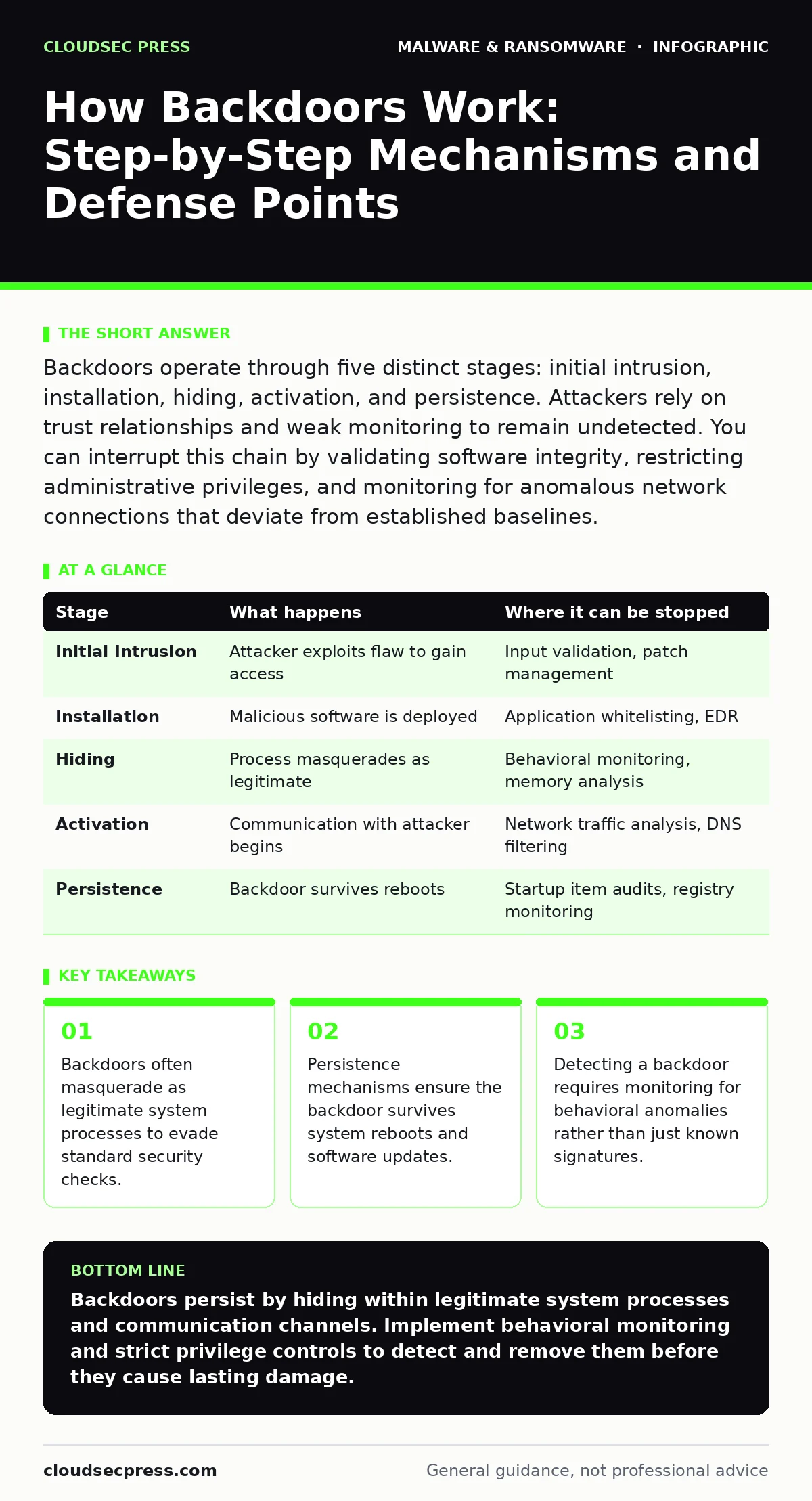
Backdoors operate through five distinct stages: initial intrusion, installation, hiding, activation, and persistence. Attackers rely on trust relationships and weak monitoring to remain undetected. You can interrupt this chain by validating software integrity, restricting administrative privileges, and monitoring for anomalous network connections that deviate from established baselines.
The Anatomy of a Hidden Entry Point
A backdoor is a method of bypassing normal authentication or encryption in a computer system, a product, or an embedded device. Unlike a virus that aims to destroy data, a backdoor aims to keep access open. The attacker installs this mechanism to return to the system at any time, often long after the initial vulnerability used for entry has been patched.
Understanding how a backdoor works requires looking at the lifecycle of the intrusion. The process follows a logical sequence from the first unauthorized touch to the final state of persistent control. Each stage presents specific technical challenges for the defender and specific opportunities for interruption.
Stage 1: Initial Intrusion and Access
The attacker must first gain a foothold on the target system. This rarely involves breaking cryptography. Instead, it relies on exploiting a misconfiguration, an unpatched software flaw, or social engineering. The goal is not to steal data immediately but to establish a command and control channel.
This stage relies on the principle of least privilege being violated. If an attacker gains administrative rights, the difficulty of installing a backdoor drops significantly. Many organizations fail to monitor for successful logins from unusual locations or times. This initial access is the foundation upon which all subsequent persistence mechanisms are built.
Stage 2: Installation and Privilege Escalation
Once inside, the attacker installs the backdoor software. This software must run with sufficient privileges to listen for incoming commands or execute remote instructions. The attacker often escalates privileges to match the system administrator level. This ensures the backdoor can read sensitive files and modify system settings without restriction.
The installation process may involve dropping executable files into system directories. These files are designed to look like legitimate operating system components. The attacker relies on the assumption that security tools will ignore files in trusted paths. This is where attack surface reduction rules can help by blocking scripts from executing in unexpected locations.
Stage 3: Hiding and Masquerading
A visible backdoor is a dead backdoor. The attacker must hide the presence of the malicious software from both the system administrator and security monitoring tools. This is achieved through masquerading. The backdoor process adopts the name of a legitimate system process, such as a system update service or a network driver.
Fileless techniques are common here. The attacker runs the backdoor code directly in the computer's memory without writing a permanent file to the disk. This makes traditional file-based scanning ineffective. The attacker relies on the complexity of modern operating systems, where thousands of processes run simultaneously. Finding a needle in this haystack requires behavioral analysis rather than simple file checks.
Stage 4: Activation and Communication
The backdoor must communicate with the attacker's command and control server. This communication must blend in with normal network traffic to avoid detection. The backdoor may use standard protocols like HTTPS or DNS for this purpose. This technique, known as tunneling, makes the malicious traffic look like routine web browsing or domain lookups.
The timing of activation is critical. The backdoor may sleep for days or weeks before contacting its handler. This delays detection and makes it harder to correlate the intrusion with a specific incident. The attacker relies on the noise of normal network operations. Monitoring for encrypted traffic that does not match known certificate authorities is a key detection method.
See also: Operational Threat Intelligence: 6 Common Misreadings Corrected · What Is Process Injection: How Malware Hides in Legitimate Memory
Stage 5: Persistence and Survival
The final stage ensures the backdoor survives system reboots, software updates, and security scans. Persistence mechanisms modify the operating system's startup procedures. The attacker may add a new entry to the system registry or create a scheduled task that runs the backdoor every time the computer starts.
If the backdoor is removed, it may have a secondary mechanism to reinstall itself. This creates a cycle of infection that is difficult to break. The attacker relies on the user's trust in the operating system's startup process. Regular audits of startup items and scheduled tasks are necessary to identify unauthorized entries. Immutable backups protect data but do not remove the backdoor from the live system.
| Stage | What happens | Where it can be stopped |
|---|---|---|
| Initial Intrusion | Attacker exploits flaw to gain access | Input validation, patch management |
| Installation | Malicious software is deployed | Application whitelisting, EDR |
| Hiding | Process masquerades as legitimate | Behavioral monitoring, memory analysis |
| Activation | Communication with attacker begins | Network traffic analysis, DNS filtering |
| Persistence | Backdoor survives reboots | Startup item audits, registry monitoring |
Interrupting the Chain
You can interrupt the backdoor lifecycle at several points. Prevention focuses on the initial intrusion and installation stages. Detection focuses on hiding and activation. Response focuses on persistence. A layered defense strategy addresses each stage with specific controls.
Monitoring for process injection is vital. This occurs when a malicious process injects code into a legitimate process to hide. Detecting this requires advanced endpoint detection and response tools. These tools look for anomalies in process behavior, such as a web browser process attempting to access the kernel.
The Role of Verification
Software verification is a critical defense. Attackers often insert backdoors into legitimate software before it reaches the user. This is known as a supply chain attack. Verifying the digital signature of every software update ensures that the code has not been tampered with.
Fake software updates are a common vector for backdoors. Users may be tricked into installing malicious software that looks like a legitimate update. Training users to download updates only from official sources reduces this risk. Automated patch management systems help ensure that systems are running the latest, verified versions of software.
Detecting the Undetectable
Dynamic malware analysis is used to detect backdoors that evade static scanning. This involves running the suspected malware in a controlled environment, or sandbox, to observe its behavior. Analysts look for attempts to connect to external servers or modify system files.
This method is not perfect. Some backdoors are designed to detect the sandbox environment and remain dormant. However, it provides valuable insight into the capabilities of the malware. Combining dynamic analysis with static analysis increases the likelihood of detection.
Managing the Aftermath
Once a backdoor is discovered, immediate action is required. The system must be isolated from the network to prevent further communication with the attacker. Then, a thorough forensic analysis is conducted to determine the extent of the compromise.
Ransomware incident response plans often include procedures for dealing with backdoors. While backdoors and ransomware are different, the initial access methods are often similar. Having a clear response plan reduces the time spent recovering from the intrusion. Ransomware recovery plans focus on restoring data, but removing the backdoor is a prerequisite for safe recovery.
Long-Term Resilience
Preventing backdoors requires a shift in mindset. Security is not a product but a process. Continuous monitoring, regular patching, and user education are necessary. Assume that some intrusions will succeed and focus on limiting the damage they can cause.
Network segmentation limits the movement of an attacker within the system. Even if a backdoor is installed on one machine, segmentation prevents it from accessing critical servers. This reduces the impact of the intrusion and buys time for detection and response.
The Human Factor
Email attachment scanning is a first line of defense against initial intrusion. Many backdoors are delivered via malicious email attachments. Advanced scanning solutions analyze the content of attachments before they reach the user's inbox.
However, the human element remains a vulnerability. Social engineering tricks users into bypassing security controls. Training users to recognize suspicious emails and verify the source of software downloads is essential. A security-aware culture complements technical controls.
Conclusion of Stages
The backdoor lifecycle is a structured process. Each stage builds on the previous one. By understanding these stages, you can implement targeted defenses. Prevention, detection, and response must work together to protect your systems.
Do not rely on a single solution. A combination of technical controls, process improvements, and user training provides the best defense. Regularly test your defenses to ensure they are effective against new techniques.
Key takeaways
- Backdoors often masquerade as legitimate system processes to evade standard security checks.
- Persistence mechanisms ensure the backdoor survives system reboots and software updates.
- Detecting a backdoor requires monitoring for behavioral anomalies rather than just known signatures.
Backdoors persist by hiding within legitimate system processes and communication channels. Implement behavioral monitoring and strict privilege controls to detect and remove them before they cause lasting damage.
Frequently asked questions
Can a backdoor survive a complete operating system reinstall?
No, a backdoor installed on the local disk will be removed during a full reinstall. However, if the attacker has access to network shares or cloud backups, they may reinfect the system immediately after the reinstall.
Does encryption protect against backdoors?
Encryption protects data at rest and in transit but does not prevent a backdoor from being installed. If an attacker has access to the system before encryption is applied, they can capture the encryption keys or exfiltrate data before it is encrypted.
How this guide was produced: written by the CloudSec Press editorial team with AI assistance, checked against the public references listed below, and reviewed when the facts change. See our editorial policy or report an error.