Ransomware Recovery Plans: 8 Practices for Downtime Reduction
Recovery speed depends on pre-tested isolation switches and verified data integrity, not just the volume of stored backups or the speed of your internet connection.

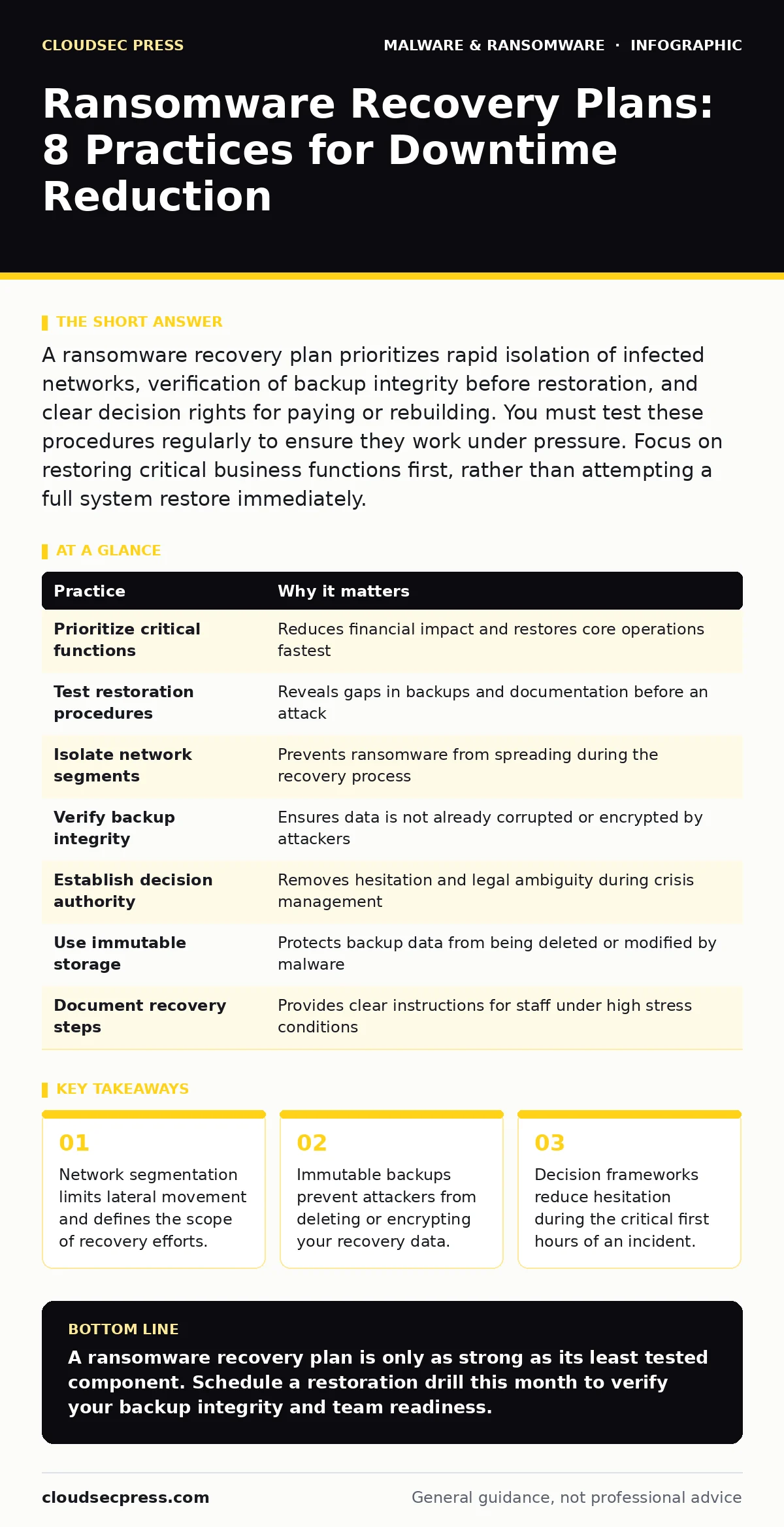
A ransomware recovery plan prioritizes rapid isolation of infected networks, verification of backup integrity before restoration, and clear decision rights for paying or rebuilding. You must test these procedures regularly to ensure they work under pressure. Focus on restoring critical business functions first, rather than attempting a full system restore immediately.
1. Define Critical Business Functions First
Recovery efforts must prioritize systems that generate revenue or ensure safety, rather than restoring every file simultaneously. Attempting a full environment restore prolongs downtime and consumes resources needed for high-priority services. You must map dependencies to understand which databases, applications, and user groups rely on specific servers. This mapping determines the restoration order.
| Practice | Why it matters |
|---|---|
| Prioritize critical functions | Reduces financial impact and restores core operations fastest |
| Test restoration procedures | Reveals gaps in backups and documentation before an attack |
| Isolate network segments | Prevents ransomware from spreading during the recovery process |
| Verify backup integrity | Ensures data is not already corrupted or encrypted by attackers |
| Establish decision authority | Removes hesitation and legal ambiguity during crisis management |
| Use immutable storage | Protects backup data from being deleted or modified by malware |
| Document recovery steps | Provides clear instructions for staff under high stress conditions |
| Train staff regularly | Ensures personnel can execute plans without consulting external experts |
Start by identifying the top 3 services that, if offline, would cause immediate business failure. Document the specific hardware, software, and data required to run each service. Include contact information for vendors who support these critical systems.
2. Implement Immutable Backup Storage
Standard backups can be encrypted or deleted by ransomware before you realize the attack is happening. Immutable storage prevents any changes to data for a set period, even by administrators with full privileges. This creates a safe harbor for your recovery data. You must configure retention policies that keep multiple versions of data, allowing you to roll back to a point before the infection occurred.
Check your backup software settings to ensure immutability is enabled. Verify that the storage medium is air-gapped or strictly write-once-read-many. Test the restoration process from these immutable copies quarterly. Ensure you have offline copies of encryption keys if your backups are encrypted.
3. Map Network Segmentation Boundaries
Ransomware spreads laterally across networks by exploiting trust relationships and open ports. Clear segmentation contains the blast radius, limiting the number of systems that require recovery. You must identify all pathways between critical systems and less secure endpoints. This mapping helps you isolate infected zones quickly without shutting down the entire organization.
Review your firewall rules and VLAN configurations to ensure strict separation between departments and functions. Disable unnecessary protocols that allow remote administration across segments. Document the expected traffic flow for each segment to detect anomalies faster. Ensure that backup traffic travels on a separate, restricted network path.
4. Establish Clear Decision Authority
Hesitation during the first hours of an attack often leads to worse outcomes. You need a pre-defined chain of command that specifies who decides to shut down systems, who contacts law enforcement, and who evaluates decryption options. This framework removes the paralysis of uncertainty. It ensures that technical teams can act without waiting for legal or executive approval for every step.
Create a decision matrix that outlines specific scenarios and the corresponding actions. Include criteria for when to engage external incident response firms. Define the communication plan for internal staff and external stakeholders. Ensure all key personnel have access to this matrix offline, in case email systems are compromised.
5. Test Restoration Procedures Regularly
A backup is only useful if it can be restored quickly and completely. Many organizations discover missing files or corrupted databases only after an attack. Regular testing validates the integrity of your backups and the competence of your team. You must simulate realistic scenarios, including partial data loss and system failure, to identify weaknesses.
Schedule quarterly restoration drills that involve different departments. Measure the time it takes to restore specific critical applications. Document any issues encountered during the test and update your procedures accordingly. Include failure scenarios where the primary restoration method fails, forcing the use of secondary options.
See also: Cyber Espionage Prevention Checklist: Stop Silent Data Theft · Digital Forensics and Incident Response: 8 Questions Answered
6. Prepare for Offline Decision Making
Ransomware attacks often disable email, instant messaging, and internal portals. You must have a way to communicate critical decisions and instructions without relying on the infected network. Offline communication plans ensure that leadership can coordinate with technical teams and external partners. This includes pre-printed contact lists and alternative communication channels.
Maintain a physical binder with key contacts, system diagrams, and recovery checklists. Distribute copies to key personnel in secure locations. Test the use of alternative communication tools, such as personal mobile networks or satellite phones. Ensure that all staff know who to contact and how to verify instructions during a crisis.
7. Integrate Incident Response with Recovery
Recovery does not begin after the incident is contained; it begins during the initial detection. Your ransomware incident response plan must include specific triggers for starting recovery preparations. This integration ensures that evidence preservation does not conflict with data restoration needs. It also ensures that legal requirements are met during the recovery process.
Define the handoff points between the incident response team and the recovery team. Ensure that forensic imaging is completed before wiping infected systems. Coordinate with legal counsel to preserve evidence while minimizing downtime. Update your recovery plan to reflect lessons learned from each incident response exercise.
8. Train Staff on Recovery Roles
Technical plans fail when personnel do not know their specific responsibilities. You must train all staff involved in recovery on their exact tasks and authority levels. This training reduces confusion and errors during high-stress situations. It also ensures that backup personnel can step in if primary responders are unavailable.
Conduct tabletop exercises that simulate ransomware attacks. Assign specific roles to participants, including technical staff, management, and communications teams. Debrief after each exercise to identify gaps in knowledge or procedure. Update training materials based on the feedback and observed performance.
Key takeaways
- Network segmentation limits lateral movement and defines the scope of recovery efforts.
- Immutable backups prevent attackers from deleting or encrypting your recovery data.
- Decision frameworks reduce hesitation during the critical first hours of an incident.
A ransomware recovery plan is only as strong as its least tested component. Schedule a restoration drill this month to verify your backup integrity and team readiness.
Frequently asked questions
How often should I test my ransomware recovery plan?
Test your recovery plan at least quarterly. More frequent testing is recommended if you make significant changes to your infrastructure or backup systems.
Can I use cloud storage for ransomware recovery?
Yes, but ensure the cloud storage provider supports immutability and object locking. Verify that your access keys are stored securely and separately from the production environment.
Should I pay the ransom if I have backups?
Paying the ransom does not guarantee data recovery and may fund further criminal activity. Rely on your tested backups and recovery procedures instead.
How do I protect against firmware malware during recovery?
Firmware malware can persist even after system restoration. Use hardware-level security features and verified firmware images from trusted vendors. Consider replacing infected hardware if necessary.
How this guide was produced: written by the CloudSec Press editorial team with AI assistance, checked against the public references listed below, and reviewed when the facts change. See our editorial policy or report an error.