Router Firmware Vulnerabilities: 10 Critical Questions Answered
Router firmware flaws often persist for years because manufacturers prioritize new hardware sales over maintaining security for older, widely deployed devices.

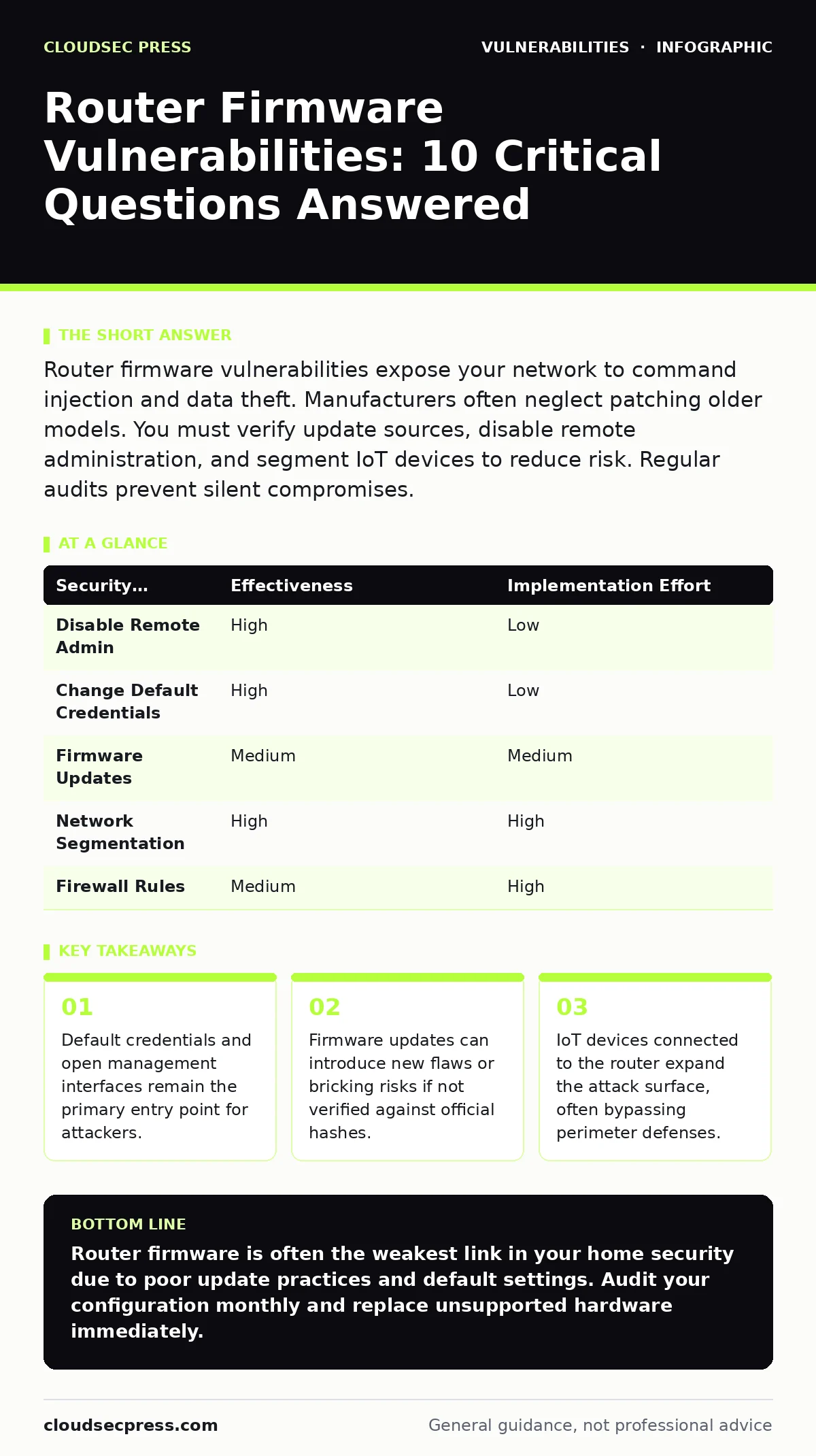
Router firmware vulnerabilities expose your network to command injection and data theft. Manufacturers often neglect patching older models. You must verify update sources, disable remote administration, and segment IoT devices to reduce risk. Regular audits prevent silent compromises.
Why are router firmware vulnerabilities so common?
Router firmware vulnerabilities are common because manufacturers prioritize feature development and cost reduction over rigorous security testing. The constrained hardware resources in consumer routers limit the complexity of security measures that can be implemented. Developers often reuse code libraries across multiple product lines, meaning a single flaw affects many devices. Supply chain compromises introduce backdoors before the device even reaches the consumer. The lack of standardized security requirements for consumer networking hardware allows inconsistent quality control.
How do attackers exploit router firmware flaws?
Attackers exploit router firmware flaws by targeting unpatched web interfaces, default credentials, and insecure protocols. They use automated scanners to identify devices with known vulnerabilities. Once access is gained, they may install malware or redirect traffic through malicious proxies. Attackers often leverage command injection flaws to execute arbitrary code on the device. This allows them to change DNS settings, steal login cookies, or access other devices on the local network.
What is the danger of default credentials?
The danger of default credentials is that they provide immediate, password-free access to the router’s administrative interface. Manufacturers ship devices with well-known usernames and passwords to simplify initial setup. Many users never change these defaults, leaving the door open for anyone on the network. Attackers use dictionaries of common default credentials to gain control in seconds. This access allows them to disable firewalls, change Wi-Fi passwords, and install unauthorized software.
Can a firmware update fix all vulnerabilities?
A firmware update cannot fix all vulnerabilities, especially those inherent in the device’s hardware or design. Updates patch known software flaws, but they cannot change the physical architecture or limited processing power. Some vulnerabilities require a complete redesign of the firmware or the device itself. Manufacturers may also stop issuing updates for older models, leaving them permanently exposed. Users must understand that updates are maintenance, not a cure for architectural weakness.
How do I verify a firmware update is safe?
You verify a firmware update is safe by checking cryptographic hashes against the manufacturer’s official documentation. Never download firmware from third-party sites or email attachments. Compare the SHA-256 hash of the downloaded file with the one published on the vendor’s support page. A mismatch indicates the file has been tampered with or corrupted. This verification step prevents the installation of malware disguised as a legitimate update. See our guide on firmware update management for detailed verification procedures.
See also: Remediation Tracking Best Practices for Cloud Security · CSAF Security Advisories Explained: Machine-Readable Vulnerability Data
What is the role of remote administration?
The role of remote administration is to allow management of the router from outside the local network, but it significantly increases risk. Leaving this feature enabled exposes the administrative interface to the entire internet. Attackers scan for open remote management ports and attempt brute-force attacks. Disabling remote administration restricts access to the local network only. This ensures that only devices physically connected to your Wi-Fi or Ethernet can attempt to log in.
How do IoT devices affect router security?
IoT devices affect router security by expanding the attack surface and often bypassing traditional perimeter defenses. Smart cameras, thermostats, and bulbs frequently have weak security and are difficult to patch. If an attacker compromises an IoT device, they can pivot to the router. The router may then be used to attack other devices on the network. Segmentation is the primary defense against this lateral movement.
| Security Measure | Effectiveness | Implementation Effort |
|---|---|---|
| Disable Remote Admin | High | Low |
| Change Default Credentials | High | Low |
| Firmware Updates | Medium | Medium |
| Network Segmentation | High | High |
| Firewall Rules | Medium | High |
What is network segmentation and why use it?
Network segmentation is the practice of dividing your network into isolated zones to limit the spread of threats. You use it to prevent a compromised IoT device from accessing your primary computers or servers. Create a separate VLAN or guest network for smart home devices. These devices can access the internet but cannot communicate with your main subnet. This containment strategy reduces the blast radius of a successful attack. Refer to attack surface management for broader strategies on limiting exposure.
When should I replace my router?
You should replace your router when the manufacturer declares it end-of-life and stops providing security updates. Continuing to use unsupported firmware leaves you vulnerable to newly discovered flaws. Look for signs of hardware degradation or incompatibility with modern security standards like WPA3. If the device cannot run the latest firmware versions, it is a liability. Replacing the hardware is the only way to restore a secure baseline. See end-of-life software for criteria on when to retire technology.
How do I audit my router’s security?
You audit your router’s security by reviewing active connections, open ports, and firmware versions. Check the router’s log files for unusual activity or failed login attempts. Verify that all connected devices are authorized. Ensure that unused services like WPS or UPnP are disabled. Regular audits help identify misconfigurations before attackers do. This process is part of patch testing and ongoing maintenance.
What is the risk of insecure direct object references?
The risk of insecure direct object references (IDOR) is that attackers can access data they are not authorized to view. In router firmware, this might allow a user to view configuration files of other users or access sensitive logs. It occurs when the application uses user-supplied input to access files directly. Attackers manipulate these inputs to traverse directories or access restricted resources. Proper input validation and access controls prevent this type of flaw.
How does command injection impact router safety?
Command injection impacts router safety by allowing attackers to execute system commands on the device. This happens when the firmware fails to sanitize user input before passing it to the operating system. An attacker can inject malicious commands into forms or URL parameters. This grants them full control over the router’s underlying operating system. They can install backdoors, change configurations, or spy on network traffic. See command injection for technical details on exploitation.
Can HTTP security headers help protect the router?
HTTP security headers can help protect the router by instructing browsers on how to handle responses from the management interface. Headers like Content-Security-Policy prevent cross-site scripting attacks. Strict-Transport-Security forces the use of HTTPS, preventing man-in-the-middle attacks. However, these headers only protect the web interface, not the underlying firmware or other services. They are a layer of defense, not a complete solution. See HTTP security headers for configuration examples.
Key takeaways
- Default credentials and open management interfaces remain the primary entry point for attackers.
- Firmware updates can introduce new flaws or bricking risks if not verified against official hashes.
- IoT devices connected to the router expand the attack surface, often bypassing perimeter defenses.
Router firmware is often the weakest link in your home security due to poor update practices and default settings. Audit your configuration monthly and replace unsupported hardware immediately.
Frequently asked questions
Can a firmware update reset my Wi-Fi password?
Some major firmware updates may reset all settings to factory defaults, including your Wi-Fi password. Check the release notes before updating to avoid being locked out of your network.
Is it safe to use the guest network for IoT devices?
Yes, the guest network is ideal for IoT devices because it isolates them from your main network. This prevents compromised smart devices from accessing your personal computers and sensitive data.
How do I know if my router has been compromised?
Look for unexpected changes in settings, unknown devices on your network, or unusual traffic spikes. Check the router’s log files for failed login attempts or configuration changes made at odd hours.
Do all routers support network segmentation?
No, only higher-end consumer routers and business-grade equipment support true VLANs or network segmentation. Check your router’s specifications for support of multiple SSIDs or guest network isolation features.
How this guide was produced: written by the CloudSec Press editorial team with AI assistance, checked against the public references listed below, and reviewed when the facts change. See our editorial policy or report an error.