PHP Vulnerability Response: Containment and Recovery Steps
Isolating the compromised server prevents lateral movement across your infrastructure while you verify data integrity.
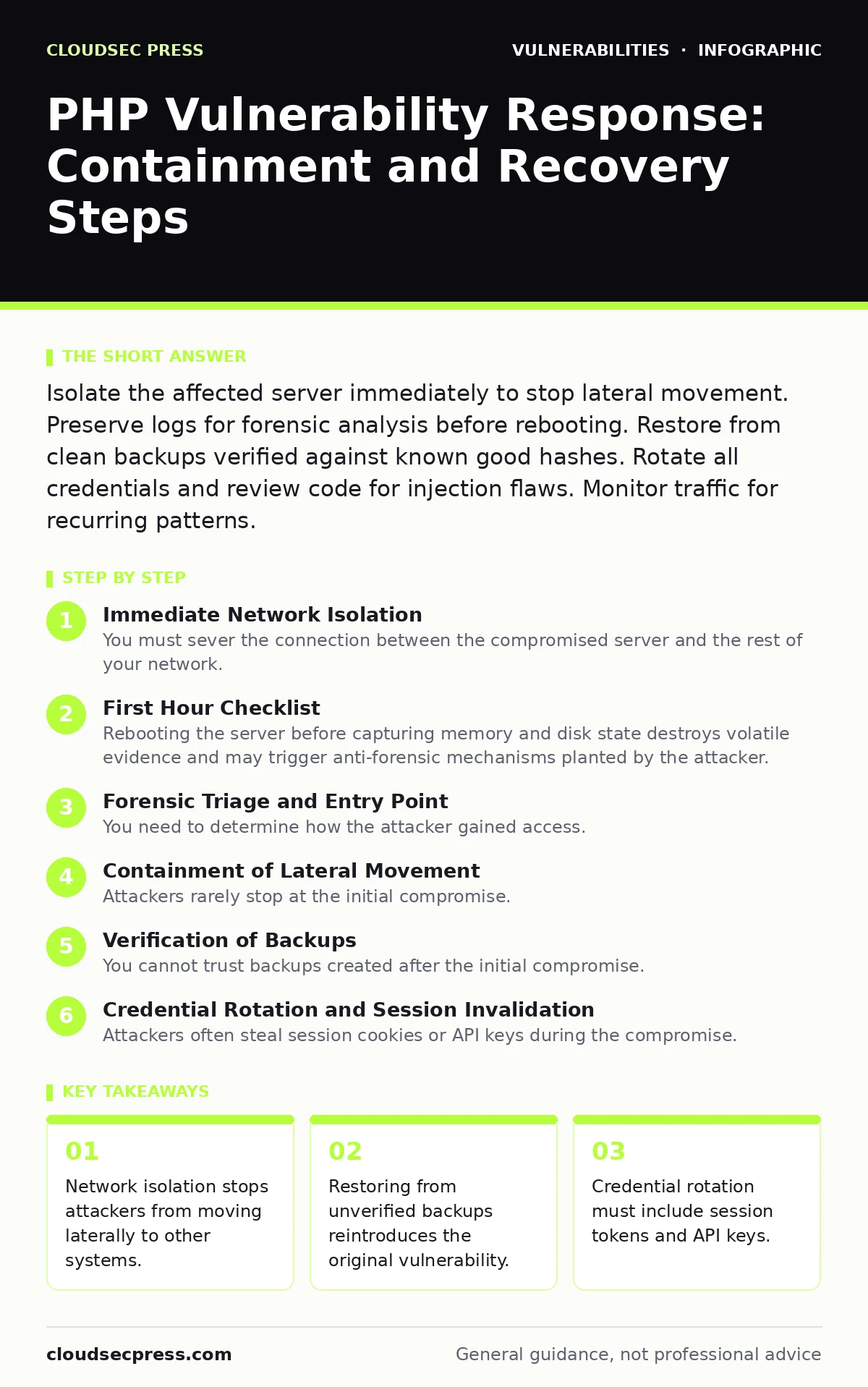
Isolate the affected server immediately to stop lateral movement. Preserve logs for forensic analysis before rebooting. Restore from clean backups verified against known good hashes. Rotate all credentials and review code for injection flaws. Monitor traffic for recurring patterns.
Immediate Network Isolation
You must sever the connection between the compromised server and the rest of your network. Attackers often use a single entry point to scan for other vulnerable services. Leaving the server connected allows them to pivot to databases or administrative consoles. Disconnect the server from the production network. Do not shut it down yet. A live memory dump preserves evidence that a power cycle erases. If you cannot physically disconnect it, configure firewall rules to drop all inbound and outbound traffic except your own administrative connection. This containment step buys time for analysis.
First Hour Checklist
- Isolate the server from all network segments.
- Capture a memory dump if tools are available.
- Copy access logs and error logs to a secure offline drive.
- Identify the entry point by reviewing recent log entries.
- Disable public-facing ports on the server.
- Notify the incident response team.
Forensic Triage and Entry Point
You need to determine how the attacker gained access. PHP applications are frequently targeted for injection flaws. These flaws allow attackers to insert malicious code into legitimate requests. Review the server logs for unusual query strings or large POST requests. Look for timestamps that correlate with unexpected file changes. Check for new user accounts created in the database. Inspect the web root directory for files with recent modification dates. Attackers often upload web shells that look like legitimate image files. Verify the integrity of critical files against known good hashes. This process reveals the specific vulnerability exploited.
Containment of Lateral Movement
Attackers rarely stop at the initial compromise. They look for database credentials stored in configuration files. If they find these credentials, they can access the database server directly. Check if the database server has been accessed from the compromised web server. Review authentication logs on the database. If lateral movement occurred, isolate the database server as well. Rotate all database passwords immediately. Do not reuse old passwords. Check for any new stored procedures or triggers created in the database. Attackers use these to maintain persistence even if you clean the web server. This step prevents the infection from spreading further.
Verification of Backups
You cannot trust backups created after the initial compromise. Restoring from a tainted backup reintroduces the backdoor. Identify the last known good backup before the incident. Verify this backup against a clean copy of the application code. Check the database dump for any anomalous data or new users. Restore the application to a staging environment first. Run security scans on the restored instance. Ensure the vulnerability that allowed the attack is patched in the restored code. This verification step ensures you do not restore a compromised state. It also confirms that the backup itself is clean.
See also: Cyber Espionage Prevention Checklist: Stop Silent Data Theft · Digital Forensics and Incident Response: 8 Questions Answered
Credential Rotation and Session Invalidation
Attackers often steal session cookies or API keys during the compromise. Simply changing passwords is insufficient. You must invalidate all active user sessions. This forces every user to log in again with their credentials. Rotate all database credentials. Update configuration files with the new secrets. Rotate API keys used by the application. Check for any hardcoded credentials in the source code. Hardcoded credentials are a common mistake in PHP applications. They allow attackers to access services even after you rotate the main passwords. This step ensures that stolen credentials are no longer valid.
Code Remediation and Patching
You must fix the vulnerability that allowed the attack. Patching the software may not be enough if custom code is involved. Review the code for input validation errors. Use prepared statements for all database queries. This prevents SQL injection attacks. Escape output to prevent cross-site scripting. Disable dangerous PHP functions like exec or system if they are not needed. Implement strict file permissions. The web server user should not be able to write to the application directory. These changes reduce the attack surface. They make it harder for attackers to exploit similar flaws in the future.
Monitoring and Repeat Prevention
You must monitor for signs of re-entry. Attackers may have hidden backdoors that were not found. Set up alerts for unusual outbound traffic. Monitor for new user accounts or privilege escalations. Implement a web application firewall to block known attack patterns. Regularly update your PHP version and extensions. Use tools like end-of-life software to track support cycles. Conduct a thorough review of attack surface management practices. This ongoing monitoring helps detect any remaining threats. It also provides early warning of new attacks.
Documentation and Reporting
You must document every step taken during the response. Record the timeline of events. Note the indicators of compromise. Document the changes made to the system. This record is vital for future audits. It helps improve your incident response plan. Share the findings with your development team. Ensure they understand the root cause. This prevents similar mistakes in new code. Report the incident to relevant authorities if required by law. Transparency helps maintain trust with users. Proper documentation turns a crisis into a learning opportunity.
Recovery and Resumption
You can bring the server back online only after verification. Start with a limited traffic rollout. Monitor error rates and performance closely. If anomalies appear, take the server down again. Gradually increase traffic as confidence grows. Keep the isolated compromised server for further forensic analysis. Do not delete it until the investigation is complete. This careful resumption ensures stability. It minimizes the risk of service disruption. It also confirms that the remediation was effective.
Key takeaways
- Network isolation stops attackers from moving laterally to other systems.
- Restoring from unverified backups reintroduces the original vulnerability.
- Credential rotation must include session tokens and API keys.
Frequently asked questions
How do I know if my PHP application is still compromised?
Check for unknown files in the web root and review logs for suspicious activity after restoration.
Should I restore from a backup or rewrite the code?
Restore from a verified clean backup and apply security patches to the restored code.
What is the biggest risk during recovery?
Restoring a backup that contains the original vulnerability or hidden backdoors.
How long should I monitor after recovery?
Monitor for at least 30 days to detect any delayed or hidden malicious activity.
How this guide was produced: written by the CloudSec Press editorial team with AI assistance, checked against the public references listed below, and reviewed when the facts change. See our editorial policy or report an error.