Dynamic Malware Analysis: How Live Execution Uncovers Hidden Threats
Static code checks miss threats that hide their behavior until runtime, making live execution the only way to see what malicious software actually does.

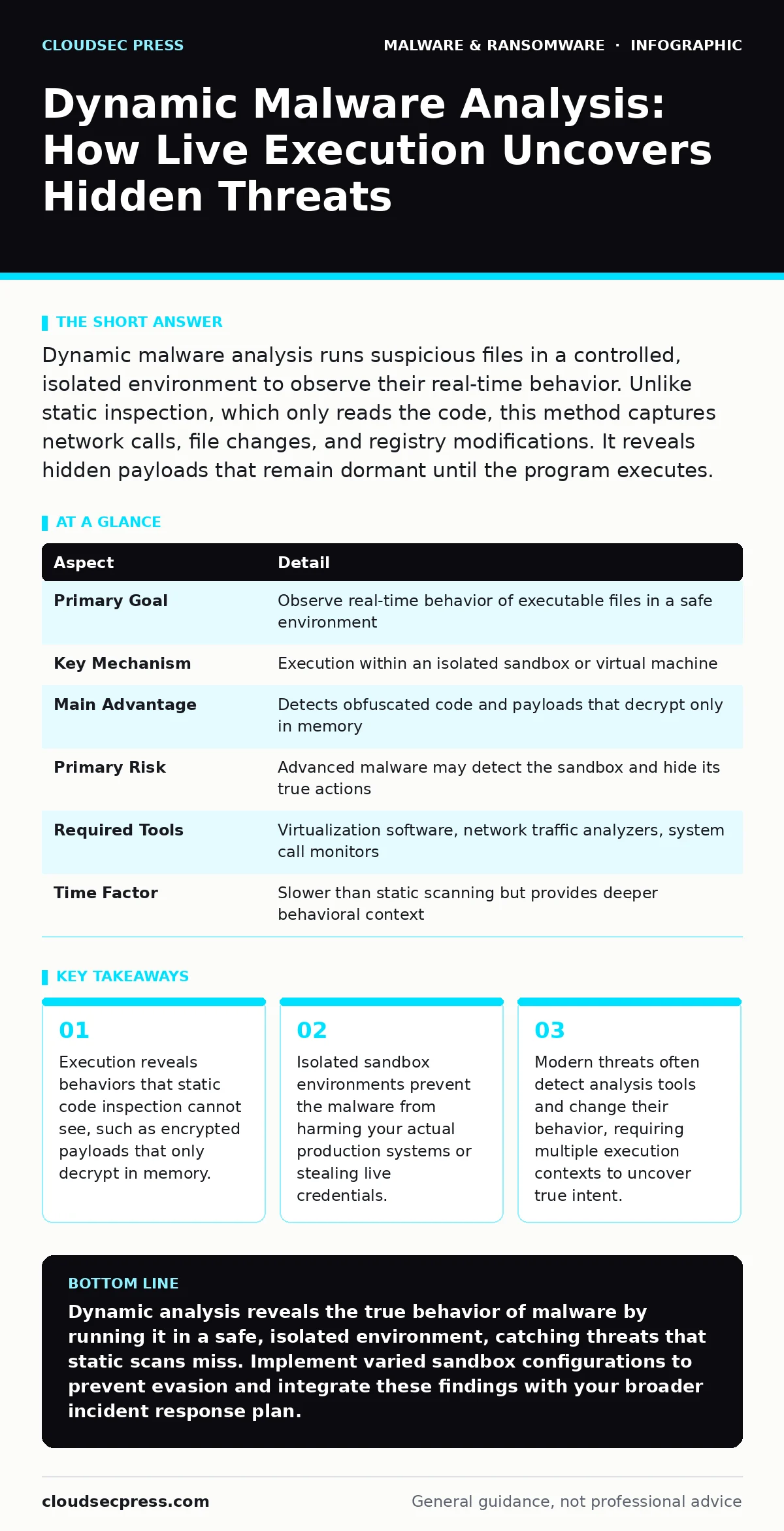
Dynamic malware analysis runs suspicious files in a controlled, isolated environment to observe their real-time behavior. Unlike static inspection, which only reads the code, this method captures network calls, file changes, and registry modifications. It reveals hidden payloads that remain dormant until the program executes.
What Is Dynamic Malware Analysis?
Think of dynamic malware analysis as a controlled car crash test. You do not read the manual to guess how the vehicle crumples. You drive it into a barrier inside a specialized facility and measure the impact. In cybersecurity, this means running the suspicious file in a safe, isolated computer system called a sandbox. You watch what the program does while it runs. You capture every action it takes, from opening files to contacting external servers. This method shows you the actual behavior of the software, not just what the code claims to do.
| Aspect | Detail |
|---|---|
| Primary Goal | Observe real-time behavior of executable files in a safe environment |
| Key Mechanism | Execution within an isolated sandbox or virtual machine |
| Main Advantage | Detects obfuscated code and payloads that decrypt only in memory |
| Primary Risk | Advanced malware may detect the sandbox and hide its true actions |
| Required Tools | Virtualization software, network traffic analyzers, system call monitors |
| Time Factor | Slower than static scanning but provides deeper behavioral context |
How Dynamic Analysis Works Step By Step
You start by creating a clean environment. This is usually a virtual machine with no user data, no network access to your main infrastructure, and a snapshot of its original state. You restore this snapshot before every test to ensure no residual effects from previous runs. Next, you inject the suspicious file into this environment. You execute the file and let it run.
Specialized monitoring tools record every system call the program makes. These tools log file creations, registry edits, and process spawns. You also capture network traffic to see if the program tries to phone home. Finally, you compare these actions against known malicious patterns. If the program tries to disable security services or connect to a known command-and-control server, you flag it as malicious.
Why Static Inspection Falls Short
Static analysis reads the code without running it. It looks for known signatures or suspicious strings. This method is fast and safe. It fails when attackers use packing or encryption. Packing compresses the malicious code into a container that only unpacks when executed. Encryption hides the payload entirely until a specific trigger occurs. Dynamic analysis bypasses these tricks by forcing the code to run. It sees the unpacked, decrypted code in action. This is critical for modern threats that use polymorphism. Polymorphic malware changes its code structure every time it replicates, defeating signature-based detection. Behavioral observation remains constant even when the code changes.
The Hidden Cost of Detection Evasion
Malware authors know about sandboxes. They write code that detects when it is being analyzed. This is called anti-analysis or evasion. The malware might check if the system has a mouse movement history. Real users move their mice; automated sandboxes often do not. If no movement is detected, the malware stays dormant. It might also check for virtualization drivers or specific process names associated with analysis tools.
If it finds these, it exits cleanly. This creates a false negative. You see a benign program, but it is actually malicious. To counter this, analysts use multiple environments. Some mimic real user behavior with simulated mouse movements and keystrokes. Others use bare-metal machines instead of virtual ones to avoid virtualization detection.
Who Needs This Capability
Every organization that handles sensitive data needs behavioral monitoring. This is not just for large security teams. Small businesses face the same threats. Attackers do not discriminate based on company size. They target email users and web visitors. You need dynamic analysis if you receive files from external sources. You need it if your employees use complex software like macro malware or plugins.
You also need it to validate your email attachment scanning tools. Static scanners miss a significant portion of advanced threats. Behavioral analysis catches what slips through. It is particularly useful for identifying potentially unwanted programs that do not have a virus signature but still degrade system performance or steal data.
See also: Pyramid of Pain: How Indicator Difficulty Shapes Your Defense · Ransomware Recovery Plans: 8 Practices for Downtime Reduction
Common Mistakes in Implementation
Many teams make the same errors when deploying dynamic analysis. The first mistake is using a single, static sandbox configuration. Attackers quickly learn to evade it. You must vary your environments. Use different operating systems, different software versions, and different network configurations. The second mistake is ignoring the network layer. Malware often does its damage by communicating with external servers.
If you block all network traffic, the malware may think it failed and exit. You need a simulated network that allows controlled communication so the malware completes its routine. The third mistake is trusting the results blindly. Always review the logs manually. Automated tools can generate false positives. A legitimate program might make unusual system calls. Human judgment is required to distinguish between odd behavior and malicious intent.
Integrating With Your Defense Strategy
Dynamic analysis is one layer of your security stack. It does not replace other controls. You still need strong perimeter defenses. You should combine this with attack surface reduction rules to limit what programs can do on your system. You must maintain immutable backups so you can recover from ransomware if it slips through.
You should also educate users about fake software updates that often deliver malware. When an incident occurs, use your dynamic analysis findings to inform your ransomware incident response. Knowing exactly what the malware did helps you clean the system thoroughly. It also helps you identify if the threat actor left behind firmware malware, which is harder to detect and remove.
Practical Steps for Better Visibility
Start by isolating your analysis environment. Ensure it cannot talk to your production network. Use a dedicated VLAN or air-gapped machine. Next, automate the process where possible. Use tools that automatically extract files from archives and run them. This saves time and ensures consistency. Finally, maintain a library of known good behaviors. This helps you spot anomalies faster. When a program behaves differently from its baseline, you investigate. This proactive approach shifts your defense from reactive to predictive. You stop waiting for breaches and start hunting for anomalies.
Key takeaways
- Execution reveals behaviors that static code inspection cannot see, such as encrypted payloads that only decrypt in memory.
- Isolated sandbox environments prevent the malware from harming your actual production systems or stealing live credentials.
- Modern threats often detect analysis tools and change their behavior, requiring multiple execution contexts to uncover true intent.
Dynamic analysis reveals the true behavior of malware by running it in a safe, isolated environment, catching threats that static scans miss. Implement varied sandbox configurations to prevent evasion and integrate these findings with your broader incident response plan.
Frequently asked questions
Can dynamic analysis detect all types of malware?
No, advanced malware can detect sandbox environments and remain dormant, requiring multiple testing contexts and manual review to uncover.
Is dynamic analysis safe for my company network?
It is safe only if performed in a strictly isolated environment that has no direct connection to your production systems or data.
How long does a dynamic analysis take?
It varies from minutes to hours, depending on the complexity of the malware and whether it requires user interaction or network triggers.
Do I need special training to perform dynamic analysis?
Yes, understanding system calls, network protocols, and malware evasion techniques requires specialized knowledge beyond basic IT skills.
How this guide was produced: written by the CloudSec Press editorial team with AI assistance, checked against the public references listed below, and reviewed when the facts change. See our editorial policy or report an error.