Botnet Attack Mistakes That Leave Your Network Exposed
Misconfigured authentication and unpatched legacy systems allow attackers to recruit your devices into a botnet without triggering standard security alerts or requiring direct human interaction.

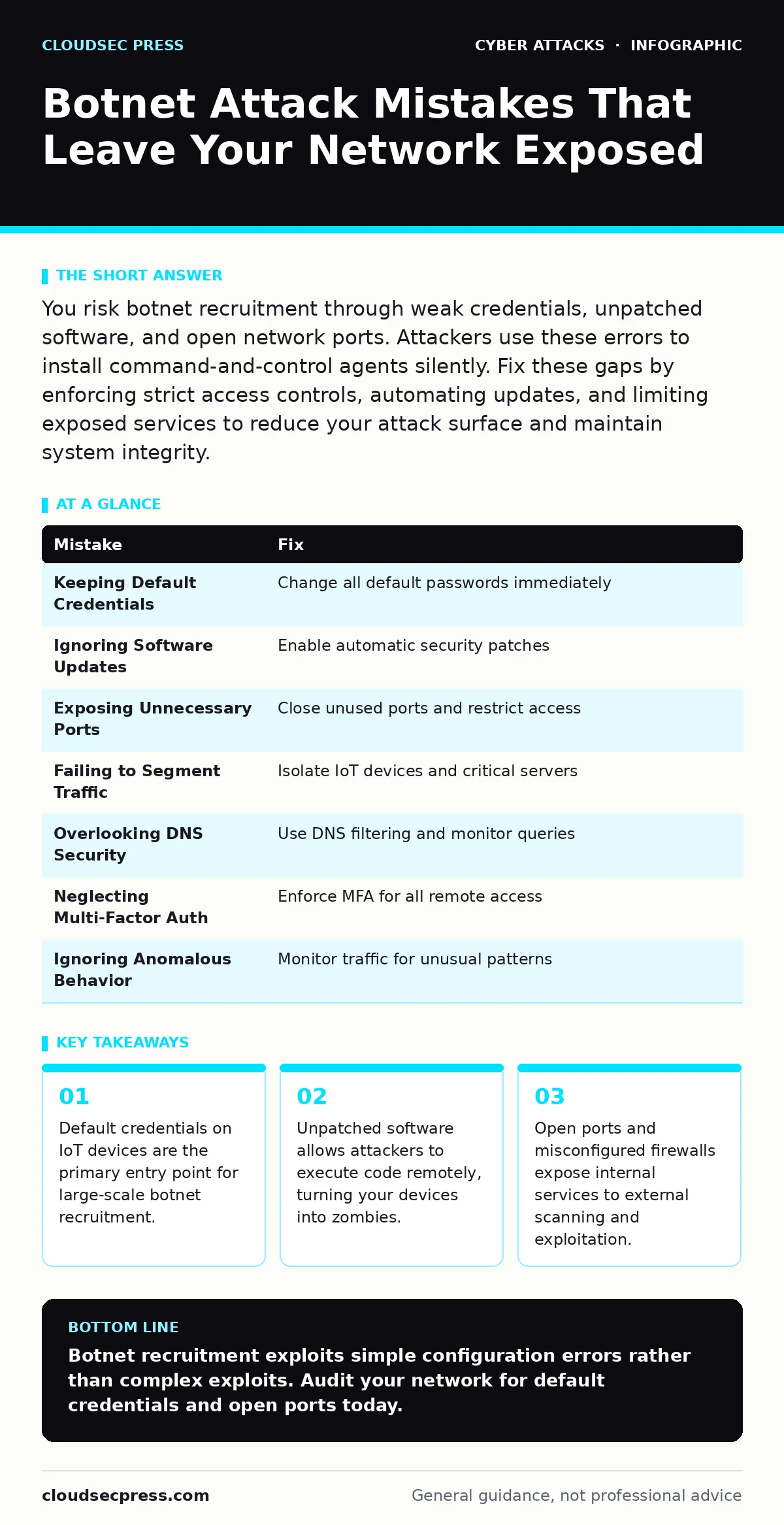
You risk botnet recruitment through weak credentials, unpatched software, and open network ports. Attackers use these errors to install command-and-control agents silently. Fix these gaps by enforcing strict access controls, automating updates, and limiting exposed services to reduce your attack surface and maintain system integrity.
Mistake 1: Keeping Default Credentials on IoT Devices
You leave factory-set usernames and passwords on routers, cameras, and smart appliances. Attackers scan the internet for these known defaults. They gain immediate administrative access without guessing. This turns your device into a botnet node instantly. The consequence is loss of control over the device. Attackers use it to launch distributed denial-of-service attacks. They also harvest data from your local network.
Why it hurts: Default credentials provide a guaranteed entry point. Attackers do not need to exploit software vulnerabilities. They simply log in with the manual’s example password. Your device becomes a zombie agent in a larger network. It sends traffic and executes commands on behalf of the attacker. You lose visibility into network activity.
The fix: Change every default credential before connecting the device. Use unique, complex passwords for each device. Disable remote management features if you do not need them. Ensure the device firmware supports password changes. If a device cannot change its credentials, do not connect it to your network. This eliminates the easiest recruitment path for botnets.
Mistake 2: Ignoring Software Updates and Patches
You delay installing security updates for operating systems and applications. Attackers target known vulnerabilities in outdated software. They exploit these flaws to install malicious code. This code acts as a botnet client. The consequence is silent compromise. Your system runs background processes you did not authorize. It consumes bandwidth and CPU resources. It may also scan other systems for further infection.
Why it hurts: Unpatched software contains known security holes. Attackers have public tools to exploit these holes. You provide them with an easy target. The botnet agent installs quietly. It communicates with a command-and-control server. You see performance degradation but not the cause. The infection spreads to other devices on your network.
The fix: Enable automatic updates for all critical software. Prioritize security patches over feature updates. Test updates in a staging environment before wide deployment. Verify that all devices receive patches consistently. Remove software that no longer receives security updates. This reduces the number of exploitable entry points for botnet recruitment.
Mistake 3: Exposing Unnecessary Network Ports
You leave network ports open to the internet for services you rarely use. Attackers scan for open ports to find vulnerable services. They target common protocols like SSH or RDP. This exposure allows direct connection attempts. The consequence is increased attack surface. Attackers brute-force credentials or exploit service vulnerabilities. They gain remote access to your systems.
Why it hurts: Open ports invite scanning and exploitation. Each open port is a potential door. Attackers use automated tools to check thousands of ports. They find services that should be internal. They exploit misconfigurations or weak authentication. Your systems become part of a botnet. You lose control over remote access capabilities.
The fix: Close all ports that do not serve a public purpose. Use firewalls to restrict access to specific IP addresses. Implement network segmentation to isolate sensitive services. Regularly audit open ports and services. Disable unused services entirely. This limits the attack surface and prevents remote exploitation.
Mistake 4: Failing to Segment Network Traffic
You connect all devices on a single flat network. Attackers move laterally once they compromise one device. They use the initial foothold to reach other systems. This lack of segmentation aids botnet propagation. The consequence is widespread infection. One compromised IoT device leads to server compromise. The botnet grows within your internal network.
Why it hurts: Flat networks allow unrestricted movement. Attackers exploit trust between devices. They pivot from a low-security device to a high-value target. Botnet agents spread quickly. You cannot contain the infection easily. Critical systems become compromised. Data theft and disruption follow.
The fix: Segment your network into distinct zones. Isolate IoT devices from critical servers. Use virtual local area networks to separate traffic. Implement strict access controls between segments. Monitor traffic between zones for anomalies. This contains breaches and limits botnet spread.
Mistake 5: Overlooking DNS Security Misconfigurations
You rely on default DNS settings without additional security. Attackers exploit DNS to redirect traffic. They use DNS tunneling to communicate with botnets. This bypasses standard firewall rules. The consequence is hidden command-and-control channels. Your devices send data to malicious servers. You see normal DNS traffic but malicious intent.
Why it hurts: DNS is often trusted implicitly. Attackers use it for exfiltration and control. DNS tunneling hides botnet communication in standard queries. Firewalls allow DNS traffic by default. You cannot inspect the payload easily. Botnet agents maintain persistent connections. Detection becomes difficult.
The fix: Implement DNS filtering and monitoring. Use DNS security extensions to validate responses. Monitor for unusual query patterns. Block known malicious DNS domains. Consider private DNS resolvers. This disrupts botnet communication channels.
See also: Cyber Espionage Prevention Checklist: Stop Silent Data Theft · DNS Filtering for Schools: How It Blocks Threats and Shapes Access
Mistake 6: Neglecting Multi-Factor Authentication
You rely solely on passwords for administrative access. Attackers use stolen credentials to access systems. They bypass single-factor authentication easily. This leads to unauthorized remote access. The consequence is direct botnet installation. Attackers log in and deploy agents. They do not need to exploit software flaws.
Why it hurts: Passwords can be stolen or guessed. Multi-factor authentication adds a second layer. Without it, credential theft equals full access. Attackers use botnets to distribute malware. They gain footholds through valid logins. Your defenses fail at the authentication stage.
The fix: Enforce multi-factor authentication for all remote access. Use hardware tokens or authenticator apps. Disable password-only logins for administrative accounts. This prevents credential-based botnet recruitment.
Mistake 7: Ignoring Anomalous Network Behavior
You do not monitor network traffic for unusual patterns. Botnets generate distinct traffic signatures. They send regular beacon signals. You miss these indicators of compromise. The consequence is prolonged infection. The botnet grows undetected. It consumes resources and sends spam.
Why it hurts: Botnets operate silently. Standard logs may not show malicious activity. Anomalous behavior detection is critical. You need baseline traffic profiles. Deviations signal potential compromise. Without monitoring, you react too late.
The fix: Implement network traffic analysis tools. Establish baseline traffic patterns. Alert on deviations from the norm. Investigate unusual outbound connections. This enables early detection of botnet activity.
| Mistake | Fix |
|---|---|
| Keeping Default Credentials | Change all default passwords immediately |
| Ignoring Software Updates | Enable automatic security patches |
| Exposing Unnecessary Ports | Close unused ports and restrict access |
| Failing to Segment Traffic | Isolate IoT devices and critical servers |
| Overlooking DNS Security | Use DNS filtering and monitor queries |
| Neglecting Multi-Factor Auth | Enforce MFA for all remote access |
| Ignoring Anomalous Behavior | Monitor traffic for unusual patterns |
Key takeaways
- Default credentials on IoT devices are the primary entry point for large-scale botnet recruitment.
- Unpatched software allows attackers to execute code remotely, turning your devices into zombies.
- Open ports and misconfigured firewalls expose internal services to external scanning and exploitation.
Botnet recruitment exploits simple configuration errors rather than complex exploits. Audit your network for default credentials and open ports today.
Frequently asked questions
How do I know if my device is part of a botnet?
Check for unusual network traffic spikes and unknown processes running in the background.
Can a botnet attack my home network?
Yes, home routers and IoT devices are frequent targets for botnet recruitment due to weak security.
Does antivirus software stop botnets?
Antivirus helps detect known malware, but network segmentation and patching prevent initial infection.
What is DNS tunneling in a botnet context?
It is a technique where botnet agents hide command-and-control traffic inside standard DNS queries to evade detection.
How this guide was produced: written by the CloudSec Press editorial team with AI assistance, checked against the public references listed below, and reviewed when the facts change. See our editorial policy or report an error.