Citrix NetScaler Vulnerabilities: Risks and Protection for Small Businesses
Small businesses face outsized risk from Citrix NetScaler flaws because default configurations often leave management interfaces exposed to the public internet without strict access controls.

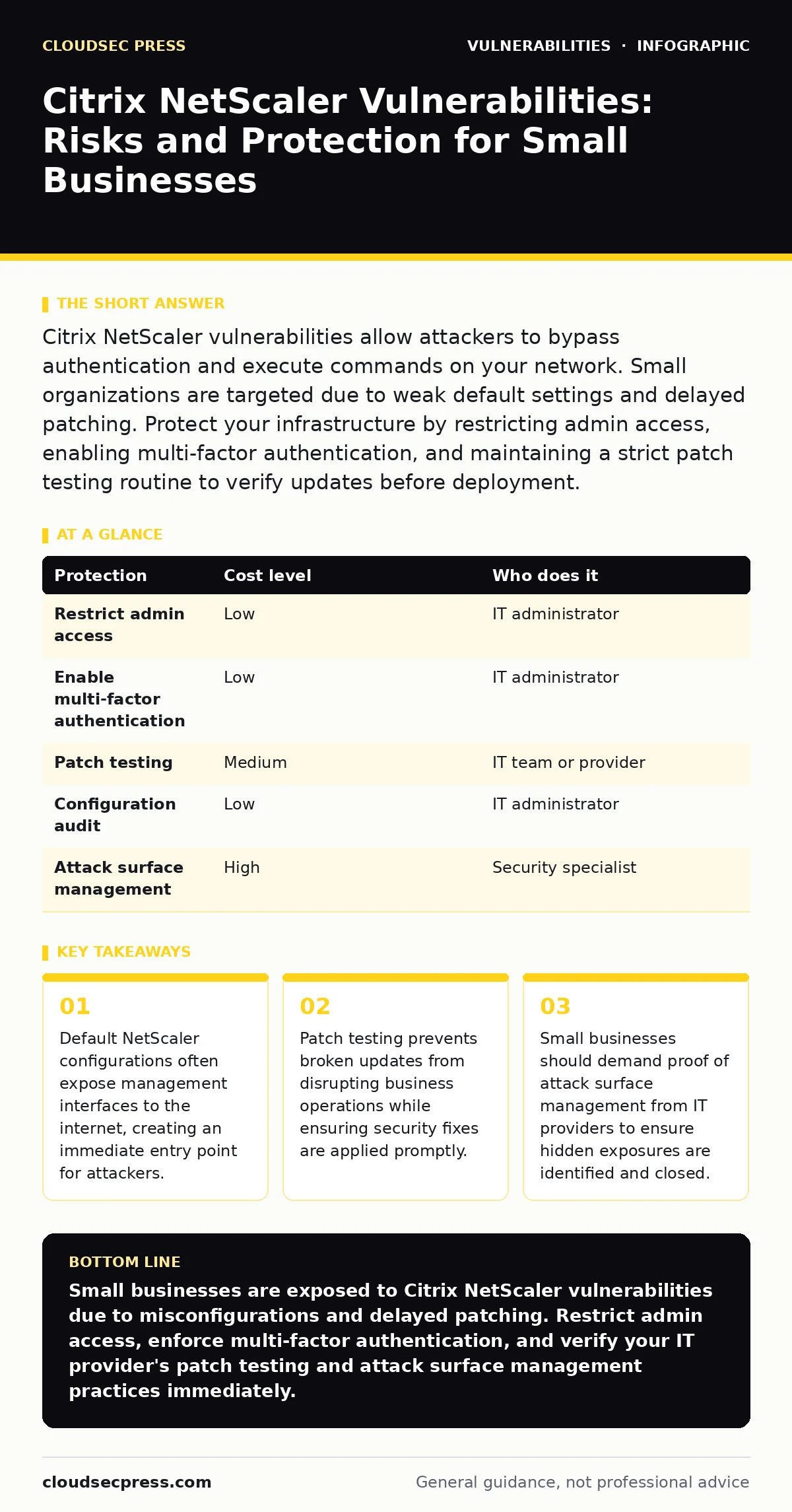
Citrix NetScaler vulnerabilities allow attackers to bypass authentication and execute commands on your network. Small organizations are targeted due to weak default settings and delayed patching. Protect your infrastructure by restricting admin access, enabling multi-factor authentication, and maintaining a strict patch testing routine to verify updates before deployment.
Why Small Organizations Face Disproportionate Risk
Small organizations often lack dedicated security teams to monitor emerging threats. This gap creates a window of opportunity for attackers targeting known vulnerabilities in VPN gateways and application delivery controllers. Citrix NetScaler devices are complex appliances that handle traffic routing and authentication. When misconfigured, they become high-value targets.
The risk is not just the software itself. It is the configuration. Many small businesses install these devices to provide remote access. They rarely audit the initial setup. Default settings often allow broad access to the management interface. This makes discovery trivial for attackers scanning the internet for exposed devices.
Another factor is the supply chain complexity. Small teams may rely on third-party IT providers for maintenance. If the provider does not maintain an accurate IT asset inventory, the NetScaler device may be missed during routine updates. Unpatched software remains vulnerable indefinitely.
The Mechanics of NetScaler Exploits
Attackers exploit specific flaws in how the NetScaler processes incoming requests. A common vulnerability involves command injection. This occurs when the device accepts user input and executes it as a system command without proper validation. An attacker sends a crafted request that includes malicious code. The device runs this code with high privileges.
This mechanism allows remote code execution. The attacker gains a shell on the appliance. From there, they can pivot to internal systems. They can steal credentials, install malware, or exfiltrate data. The impact depends on the network segmentation. Poor segmentation allows lateral movement across the entire environment.
These flaws often exist in the web interface or the API. Attackers do not need to break the encryption. They exploit the logic errors in the application layer. This means standard firewalls may not block the attack if the traffic appears legitimate. The vulnerability lies in the code handling the request, not the transport protocol.
Immediate Low-Cost Protections
You can reduce risk immediately without buying new tools. The first step is to restrict access to the management interface. Never expose the NetScaler admin port to the public internet. Use a firewall to allow access only from specific, trusted IP addresses. This limits who can attempt to exploit management flaws.
Enable multi-factor authentication for all administrative accounts. This adds a layer of security even if credentials are stolen. Use strong, unique passwords for every account. Disable default accounts if possible. Ensure that all user accounts have the minimum necessary privileges. Excessive permissions increase the damage an attacker can do.
Regularly review the configuration against security baselines. Check for unnecessary services that are running. Disable any features you do not use. Each active service is a potential attack surface. Simplifying the configuration reduces the number of ways an attacker can interact with the device.
Managing Patches and Updates
Software vendors release patches to fix known vulnerabilities. You must apply these updates promptly. However, applying patches blindly can cause issues. A patch might break a critical function. This is why patch testing is necessary. Test updates in a non-production environment first. Verify that the fix works and does not introduce new problems.
Maintain a schedule for reviewing CSAF security advisories. These documents provide structured information about vulnerabilities and fixes. Subscribe to notifications from the vendor. Do not wait for a breach to act. Proactive patching is the most effective defense against known exploits.
Keep a record of all installed versions and patches. This helps in incident response. If a new vulnerability is discovered, you can quickly determine if your device is affected. An accurate record also helps during audits. It demonstrates due diligence in maintaining security.
| Protection | Cost level | Who does it |
|---|---|---|
| Restrict admin access | Low | IT administrator |
| Enable multi-factor authentication | Low | IT administrator |
| Patch testing | Medium | IT team or provider |
| Configuration audit | Low | IT administrator |
| Attack surface management | High | Security specialist |
What to Ask Your IT Provider
If you outsource IT support, you must verify their security practices. Ask specific questions to ensure they are protecting your NetScaler device. Do not accept vague answers. You need concrete evidence of their processes.
- How do you maintain an up-to-date IT asset inventory for all network devices?
- What is your process for patch testing before deploying updates to production systems?
- Do you perform regular attack surface management to identify exposed services?
These questions reveal their maturity. A provider with a robust process will have documented procedures. They should be able to show you logs of recent updates. They should explain how they monitor for new vulnerabilities. If they cannot answer these questions, consider finding a more capable partner.
See also: Botnet Attack Mistakes That Leave Your Network Exposed · DNS Filtering for Schools: How It Blocks Threats and Shapes Access
Beyond Basic Security Controls
Basic controls are necessary but not sufficient. You need a deeper understanding of your exposure. Attack surface management helps you visualize all entry points. It identifies misconfigurations that traditional tools miss. This is especially important for complex devices like NetScaler.
Consider using a software bill of materials (SBOM) if you have custom applications running on the device. An SBOM lists all components and dependencies. This helps you identify vulnerabilities in third-party libraries. It provides transparency into the software stack.
Regular penetration testing can uncover configuration errors. External testers simulate real attacks. They find weaknesses that internal teams might overlook. Use their findings to improve your security posture. Repeat testing annually or after major changes.
Long-Term Resilience Strategies
Security is an ongoing process. You must adapt to new threats. Keep your knowledge current. Follow security news related to your infrastructure. Understand the implications of new vulnerabilities.
Train your staff on security best practices. Social engineering can bypass technical controls. Employees should recognize phishing attempts. They should report suspicious activity immediately. Human awareness is a critical layer of defense.
Regularly back up your configuration. This allows you to restore the device if it is compromised. Store backups securely. Test the restoration process periodically. Ensure that you can recover quickly from an incident.
Key takeaways
- Default NetScaler configurations often expose management interfaces to the internet, creating an immediate entry point for attackers.
- Patch testing prevents broken updates from disrupting business operations while ensuring security fixes are applied promptly.
- Small businesses should demand proof of attack surface management from IT providers to ensure hidden exposures are identified and closed.
Small businesses are exposed to Citrix NetScaler vulnerabilities due to misconfigurations and delayed patching. Restrict admin access, enforce multi-factor authentication, and verify your IT provider's patch testing and attack surface management practices immediately.
Frequently asked questions
Can a firewall stop Citrix NetScaler exploits?
A firewall can block unauthorized access to the management interface. It cannot stop an exploit if the attacker has valid access or if the traffic appears legitimate. You must also patch the software and harden the configuration.
How often should I patch my NetScaler device?
You should patch as soon as a critical update is available and tested. Check for advisories regularly. Do not wait for a scheduled maintenance window if a severe vulnerability is disclosed. Prompt patching reduces the window of exposure.
Is multi-factor authentication enough to protect my NetScaler?
Multi-factor authentication protects against credential theft. It does not protect against unpatched software vulnerabilities or misconfigurations. You need a layered approach that includes patching, access control, and network segmentation.
What is the biggest mistake small businesses make with NetScaler?
The biggest mistake is exposing the management interface to the internet. This allows attackers to scan for and exploit vulnerabilities directly. Always restrict access to trusted IP addresses and use strong authentication for all administrative actions.
How this guide was produced: written by the CloudSec Press editorial team with AI assistance, checked against the public references listed below, and reviewed when the facts change. See our editorial policy or report an error.