How Email Attachment Scanning Works: Limits and Bypasses
Scanners miss threats hidden inside archives or obfuscated code, requiring layered defenses to catch what static analysis overlooks.

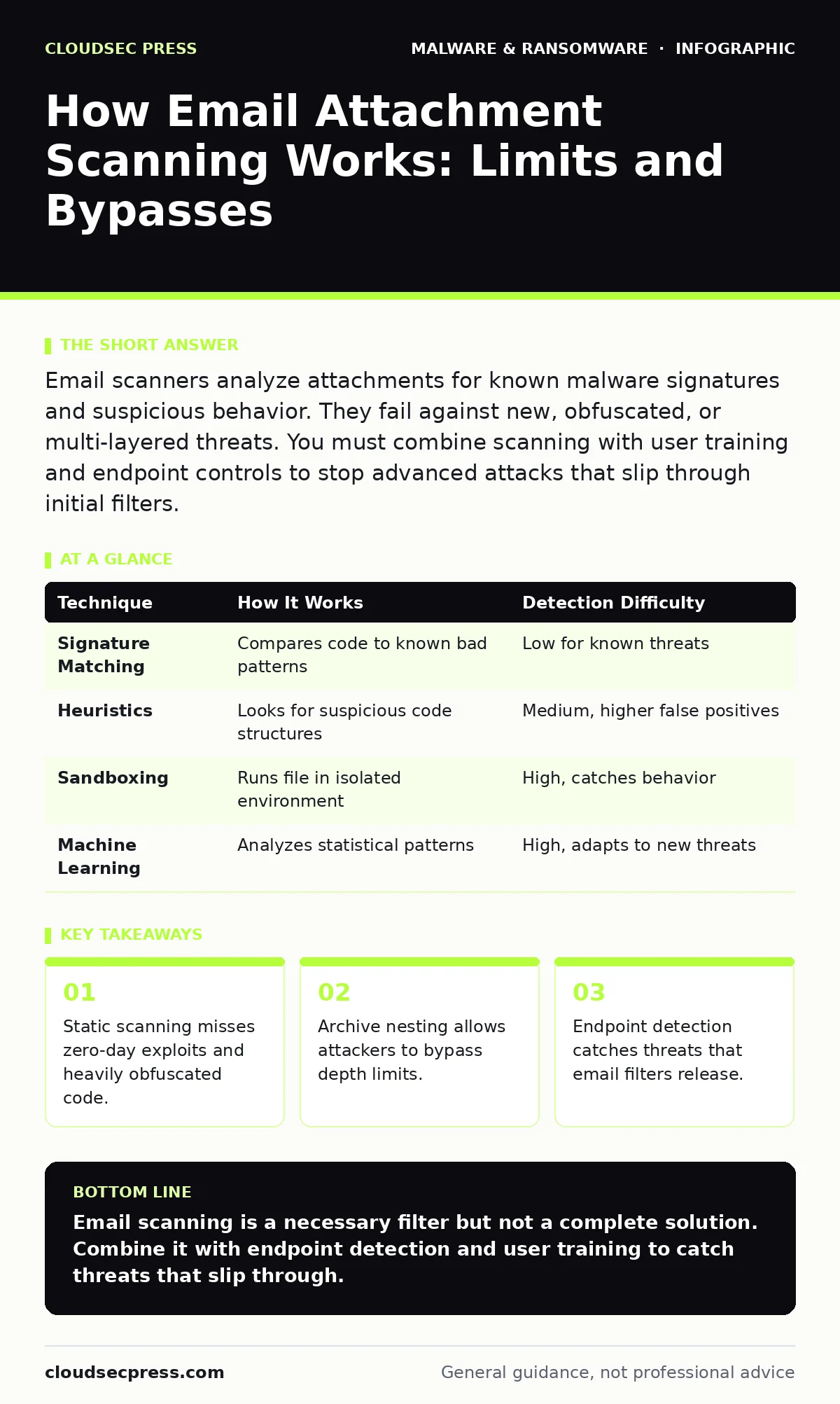
Email scanners analyze attachments for known malware signatures and suspicious behavior. They fail against new, obfuscated, or multi-layered threats. You must combine scanning with user training and endpoint controls to stop advanced attacks that slip through initial filters.
Does email scanning stop all malware?
No single scanner stops every threat. Most systems use signature-based detection, which compares file code against a database of known malicious patterns. This works well for common viruses but fails against new or modified code. Attackers constantly change their code to look different while keeping the same harmful function. This process is called polymorphism. When the signature changes, the scanner does not recognize the file as dangerous. You must assume some malware will pass the initial check.
How do scanners handle password-protected files?
Scanners generally cannot inspect password-protected attachments. If a file is encrypted, the scanning engine cannot read the internal code to check for threats. Attackers use this limitation to hide malicious payloads. They send a protected archive and provide the password in the email body or a separate message. This breaks the link between the threat and the detection mechanism. Some systems block all password-protected files, but this creates friction for legitimate business communications.
What is archive nesting and why does it matter?
Archive nesting involves placing compressed files inside other compressed files. A scanner might unzip the first layer, check the contents, and stop. If the malicious file is hidden three layers deep, the scanner may never see it. This technique exploits the resource limits of scanning engines. Inspecting infinite layers of archives would slow down email delivery significantly. Administrators must set a maximum depth limit. This creates a trade-off between security and performance. Deeper limits catch more threats but increase server load.
Can obfuscation defeat static analysis?
Obfuscation hides the true purpose of code by making it difficult to read. Attackers use techniques like packing, encryption, or adding junk code to confuse scanners. Static analysis looks at the file without running it. If the code looks benign until executed, static analysis fails. This is why many modern scanners use sandboxing. Sandboxing runs the file in an isolated environment to observe its behavior. If the file tries to access the registry or connect to a command server, the sandbox flags it. However, some malware detects sandbox environments and hides its activity.
| Technique | How It Works | Detection Difficulty |
|---|---|---|
| Signature Matching | Compares code to known bad patterns | Low for known threats |
| Heuristics | Looks for suspicious code structures | Medium, higher false positives |
| Sandboxing | Runs file in isolated environment | High, catches behavior |
| Machine Learning | Analyzes statistical patterns | High, adapts to new threats |
Why do false positives occur?
False positives happen when a scanner flags a legitimate file as malware. This occurs because heuristic analysis looks for suspicious patterns rather than exact matches. A legitimate script might use commands that also appear in malware. The scanner cannot always distinguish intent. These errors disrupt business operations. Users may delete important files or ignore warnings. Over time, teams become desensitized to alerts. This fatigue leads to missed real threats. You must tune your scanner to reduce noise without lowering security.
See also: Malicious Email Attachments: How to Spot Hidden Threats · DMARC Checklist: Verify, Monitor, and Enforce Email Authenticity
How do macro-enabled documents bypass filters?
Macro-enabled documents contain executable code. Scanners can inspect the macro code, but attackers often obfuscate it. They split the code across multiple lines or use variables to hide commands. Some scanners disable macros by default. Others allow them if the file passes initial checks. If a user enables macros, the code runs on their device. This moves the risk from the email server to the endpoint. You must restrict macro execution through policy. Only allow macros from trusted publishers.
What role does endpoint detection play?
Endpoint Detection and Response (EDR) provides a second line of defense. If malware passes email scanning, it lands on the user's device. EDR monitors system behavior in real time. It looks for actions like file encryption, process injection, or network connections to unknown servers. This catches threats that static scanning missed. Email scanning is a perimeter control. EDR is an internal control. Both are necessary because neither is perfect. If the perimeter fails, the endpoint must stop the attack.
Can users safely disable scanning?
Disabling attachment scanning exposes your organization to immediate risk. Without scanning, every attachment reaches the user unchanged. This includes files containing ransomware, spyware, or trojans. Some users disable scanning to speed up email delivery. This trade-off is rarely worth the risk. The delay caused by scanning is usually seconds. The cost of a breach is far higher. Keep scanning enabled for all inbound and outbound mail. Use allowlists for trusted partners if performance is an issue.
How do you test your scanning effectiveness?
You must test your defenses regularly. Send simulated malicious attachments to test accounts. Use files that mimic common attack techniques. Check if the scanner blocks them or allows them through. Review the logs to see why files were flagged or missed. This helps you tune your settings. It also reveals gaps in your policy. Testing should include various file types and nesting levels. Do not rely on vendor claims alone. Verify that your configuration matches your security goals.
What happens when scanning fails?
When scanning fails, the threat reaches the user. If the user opens the file, the malware executes. This is where incident response plans matter. You need a clear procedure for containment and recovery. Isolate the affected device immediately. Prevent the malware from spreading to other systems. Check for backups that are not connected to the network. Immutable backups protect your data from encryption or deletion. Having a plan reduces the damage. It also speeds up recovery.
Key takeaways
- Static scanning misses zero-day exploits and heavily obfuscated code.
- Archive nesting allows attackers to bypass depth limits.
- Endpoint detection catches threats that email filters release.
Email scanning is a necessary filter but not a complete solution. Combine it with endpoint detection and user training to catch threats that slip through.
Frequently asked questions
Do free email scanners work as well as paid ones?
Free scanners often lack advanced features like sandboxing and behavioral analysis. They rely mostly on signature matching, which misses new threats. Paid solutions offer deeper inspection and better support.
Can I scan attachments without slowing down email?
Yes, by using cloud-based scanning and optimizing depth limits. You can also prioritize scanning for high-risk senders. This balances speed and security.
Why are PDFs dangerous?
PDFs can contain hidden scripts or links to malicious sites. They are often used to deliver drive-by downloads. Scanners must inspect the internal structure of PDFs.
How do I stop users from clicking bad links?
Use URL rewriting and sandboxing. These technologies inspect links before the user clicks them. You must also train users to verify sources.
How this guide was produced: written by the CloudSec Press editorial team with AI assistance, checked against the public references listed below, and reviewed when the facts change. See our editorial policy or report an error.