Malicious Email Attachments: How to Spot Hidden Threats
Many malicious attachments bypass traditional scanners by hiding code inside standard document formats that users trust implicitly.

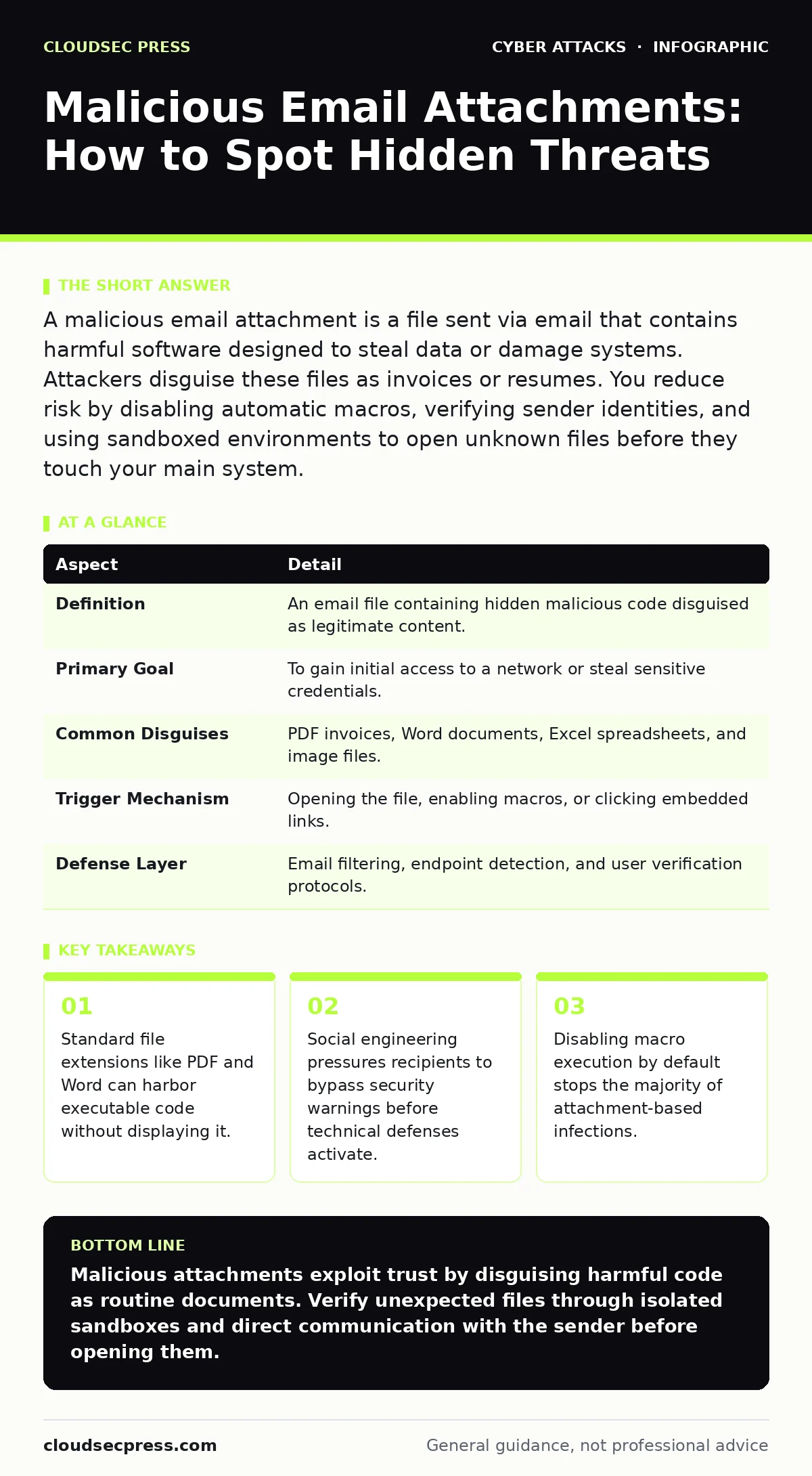
A malicious email attachment is a file sent via email that contains harmful software designed to steal data or damage systems. Attackers disguise these files as invoices or resumes. You reduce risk by disabling automatic macros, verifying sender identities, and using sandboxed environments to open unknown files before they touch your main system.
The Trojan Horse in Your Inbox
Imagine receiving a package wrapped in familiar branding. The label promises a routine update, but inside sits a tool designed to pick the locks of your home. Malicious email attachments operate on this exact principle. They are files sent through email channels that contain malware, ransomware, or spyware. The file appears legitimate, often mimicking a document you expect.
The deception relies on trust. You expect an invoice, a resume, or a shipping notice. The attachment fulfills that expectation visually. However, the file structure contains hidden instructions. When you open the file, those instructions execute. They do not require your consent if the software is vulnerable. They only require your curiosity.
| Aspect | Detail |
|---|---|
| Definition | An email file containing hidden malicious code disguised as legitimate content. |
| Primary Goal | To gain initial access to a network or steal sensitive credentials. |
| Common Disguises | PDF invoices, Word documents, Excel spreadsheets, and image files. |
| Trigger Mechanism | Opening the file, enabling macros, or clicking embedded links. |
| Defense Layer | Email filtering, endpoint detection, and user verification protocols. |
How the Infection Chain Works
The attack begins with reconnaissance. The attacker identifies your organization’s industry or recent public activities. They craft a message that aligns with your current concerns. Suppose your company recently announced a merger. The attacker sends a "Due Diligence Checklist" as a Word document. The subject line matches internal terminology. The sender address looks similar to a known partner.
Once you download the file, the real work begins. Modern office suites and PDF readers are complex applications. They contain features that allow automation. This automation is the vector. The file does not just display text. It contains scripts that run in the background. These scripts may attempt to download additional payloads from the internet. They may try to access your clipboard. They may attempt to bypass local security settings.
Common Forms and Hidden Traps
Attackers exploit the versatility of common file types. Word and Excel documents are prime targets because they support macros. A macro is a series of commands that automate tasks. If a macro is signed with a fake certificate, it may appear trustworthy. The document may look identical to a previous safe version. The difference is invisible to the naked eye.
PDFs are equally dangerous. They are universal and rarely scanned as deeply as executable files. A PDF can contain embedded JavaScript, executable files, or links to malicious sites. Even image files can be weaponized. A specially crafted image may exploit a vulnerability in the viewer software. Opening the image triggers the exploit. No clicking is required. This is known as a zero-click exploit.
Zip and RAR archives add another layer of confusion. They bundle multiple files. Attackers often include one safe file and several malicious ones. They name the malicious files with slight variations, such as "invoice_final.exe" instead of "invoice_final.pdf". The human eye skips over the extension. The operating system executes the code.
Who Bears the Risk
Everyone with an email account is a potential target. However, the impact varies by role. Finance employees receive many invoices, making them prime targets for invoice fraud. The pressure to process payments quickly overrides caution. IT staff receive technical documents and support requests. Attackers mimic software updates or security alerts to trick them.
Executive leadership faces "whaling" attacks. These messages appear to come from subordinates or legal counsel. The attachments contain urgent legal documents or contracts. The goal is to gain access to high-value data or authorize large transfers. Junior staff are targeted for their access to shared drives and network credentials. A single infected laptop can spread malware across the entire network.
The risk is not limited to large corporations. Small businesses often lack dedicated security teams. They rely on basic email filters. These filters miss sophisticated, customized attacks. The result is often catastrophic data loss or ransomware encryption.
What People Usually Get Wrong
Many users believe that if an email arrives in their inbox, it is safe. They assume the email provider has filtered out all threats. This is incorrect. Email filters catch known malware signatures. They do not catch new, customized attacks. They do not catch social engineering that relies on context. The email reached you because it looked like normal traffic.
Another common misconception is that antivirus software stops all malicious files. Traditional antivirus scans for known patterns. It cannot detect new code. It cannot detect code that is obfuscated or packed. It often requires an update to recognize a new threat. By the time the update arrives, the damage may be done.
Users also trust file extensions implicitly. If a file is named "report.pdf.exe", Windows may hide the ".exe" part. You see only "report.pdf". You assume it is a document. It is an executable program. This hidden extension trick is one of the oldest and most effective techniques in the attacker’s arsenal.
See also: How Email Attachment Scanning Works: Limits and Bypasses · DMARC Checklist: Verify, Monitor, and Enforce Email Authenticity
Reducing Risk Through Technical Controls
Defense requires layers. Email filtering is the first line. It blocks known malicious domains and IP addresses. It scans attachments for suspicious patterns. However, it is not perfect. You must configure it to quarantine suspicious files rather than deleting them. This allows for analysis and recovery if a false positive occurs.
Endpoint detection and response (EDR) tools monitor behavior. They look for actions that indicate malware. For example, a Word document trying to execute a command prompt is suspicious. The EDR tool can block the action and alert the security team. This behavioral analysis catches threats that signature-based scanners miss.
The Human Element and Verification
Technology cannot solve every problem. You must verify the source of unexpected attachments. If you receive a request for sensitive data, do not reply to the email. Contact the sender through a different channel. Call their known phone number. Use an instant messaging platform. Do not use the contact information in the email itself, as it may be forged.
Implement a policy of "zero trust" for attachments. Assume every attachment is malicious until proven otherwise. Use a sandbox to open suspicious files. A sandbox is an isolated environment. It runs the file in a virtual machine. If the file is malicious, it infects the sandbox, not your real computer. You can then analyze the behavior safely.
Educate your team on the signs of social engineering. Look for urgency, secrecy, and unusual requests. These are red flags. Encourage a culture where questioning an email is rewarded, not punished. This connects to broader security culture initiatives. When employees feel safe to report suspicious activity, you catch threats early.
Conclusion and Next Steps
Malicious email attachments remain a primary entry point for cyberattacks. They exploit trust, convenience, and technical vulnerabilities. Defending against them requires a combination of technical controls and human vigilance. You must assume that filters will miss some threats. You must verify requests before acting. You must isolate suspicious files before opening them.
Review your email security settings today. Ensure that macro execution is disabled by default. Enable sandboxing for incoming attachments. Train your team to recognize social engineering tactics. Stay informed about new attack vectors. The methods evolve, but the principles of verification and isolation remain constant.
Key takeaways
- Standard file extensions like PDF and Word can harbor executable code without displaying it.
- Social engineering pressures recipients to bypass security warnings before technical defenses activate.
- Disabling macro execution by default stops the majority of attachment-based infections.
- Sandboxing isolates potentially harmful files, preventing them from affecting your primary operating system.
Malicious attachments exploit trust by disguising harmful code as routine documents. Verify unexpected files through isolated sandboxes and direct communication with the sender before opening them.
Frequently asked questions
Can a malicious attachment infect my phone?
Yes, mobile operating systems can be compromised by malicious files, though the attack methods differ from desktop computers.
Do password-protected files protect against malware?
No, password protection only prevents unauthorized viewing. It does not stop the file from executing malicious code if opened.
How this guide was produced: written by the CloudSec Press editorial team with AI assistance, checked against the public references listed below, and reviewed when the facts change. See our editorial policy or report an error.