Malware Droppers and Loaders: Six Myths That Hide Real Risk
Droppers and loaders serve distinct operational roles that bypass traditional signature scanning by separating delivery from execution.

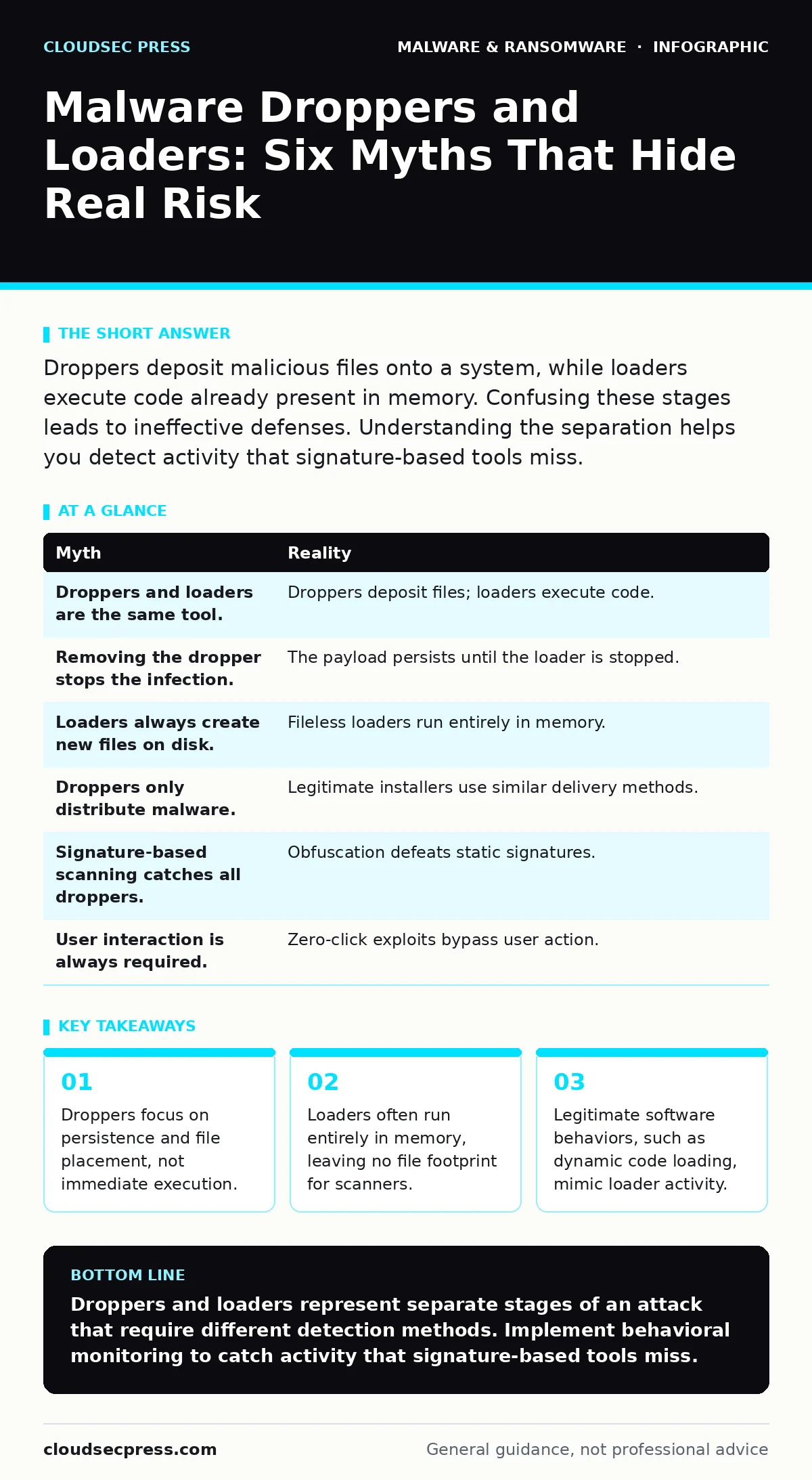
Droppers deposit malicious files onto a system, while loaders execute code already present in memory. Confusing these stages leads to ineffective defenses. Understanding the separation helps you detect activity that signature-based tools miss.
Myth: Droppers and Loaders Are the Same Tool
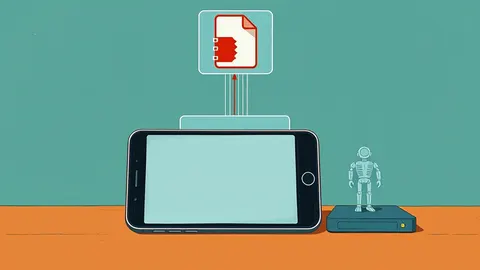
Reality: These components perform distinct functions within a malware lifecycle. A dropper is a program designed to deposit a secondary payload onto a file system. It acts as a delivery mechanism, often disguising itself as a legitimate installer or document. The loader, by contrast, is responsible for executing the malicious code. It typically reads the payload from disk or memory and runs it.
Confusing these two stages leads to flawed detection strategies. If you treat a dropper as the primary threat, you may ignore the loader’s behavior. The loader is often the component that evades detection because it operates in ways that mimic legitimate system processes. The dropper’s job is simply to ensure the payload is present and ready.
Myth: Removing the Dropper Stops the Infection
Reality: Deleting the initial dropper file does not remove the payload it installed. The dropper’s primary goal is persistence. Once it deposits the malicious file, it may delete itself to avoid detection. The payload remains on the disk, waiting for a trigger or a loader to activate it.
Imagine a scenario where you identify and delete a suspicious executable. The system appears clean, but the secondary payload sits dormant in a hidden directory. When a system reboot or specific user action occurs, a resident loader activates the hidden file. You have removed the delivery vehicle, but the passenger remains. This is why endpoint detection and response (EDR) solutions monitor behavior over time rather than just scanning for known bad files.
Myth: Loaders Always Create New Files on Disk
Reality: Many modern loaders operate entirely in memory to avoid leaving forensic artifacts. This technique, known as fileless execution, allows the malware to run without writing malicious code to the hard drive. The loader injects code into a legitimate process, such as a system service or browser.
Traditional antivirus software relies on scanning files on disk. If no file exists, the scanner has nothing to analyze. The loader exploits this gap by keeping the malicious code in RAM. This makes detection difficult because the system state appears normal. You must monitor process memory and unusual API calls to spot this activity. Relying solely on file system integrity checks will miss these threats.
Myth: Droppers Only Distribute Malware
Reality: Dropper technology is not exclusive to malicious actors. Many legitimate software installers use similar mechanisms to bundle and deploy components. Installers often download additional modules or updates after the initial setup. This behavior looks identical to a dropper from a technical perspective.
This overlap creates a significant challenge for security tools. If you block all dropper-like behavior, you break legitimate software updates and installations. The distinction lies in intent and destination. A legitimate installer drops files into expected directories. A malicious dropper often drops files into temporary or hidden folders. Context matters more than the action itself.
Myth: Signature-Based Scanning Catches All Droppers
Reality: Signatures identify known patterns of malicious code. Droppers are frequently modified to change their appearance. Attackers use packers and obfuscation techniques to alter the binary structure. Each variant looks different to a scanner, even if the function is identical.
This cat-and-mouse game renders static signatures ineffective against new droppers. The dropper may be unique to a specific campaign. Without a prior sample, the scanner sees only unknown code. Behavioral analysis is more effective here. It looks for actions, such as writing executable files to unusual locations, rather than checking the file’s identity. This approach catches novel threats that signatures miss.
See also: What Is Process Injection: How Malware Hides in Legitimate Memory · SIEM Explained: Answers to Your Most Pressing Security Questions
Myth: User Interaction Is Always Required
Reality: Some droppers and loaders exploit vulnerabilities in software or operating systems to execute without user input. These are known as zero-click exploits. The malware triggers automatically when a vulnerable service processes a malformed packet or file.
Imagine a server that receives a corrupted image file. The vulnerability in the image processing library allows the code to execute immediately. No user needs to click a link or open an attachment. This bypasses email attachment scanning and other user-centric defenses. Patching software regularly is the only defense against this vector. You cannot train users to avoid a threat that requires no interaction.
| Myth | Reality |
|---|---|
| Droppers and loaders are the same tool. | Droppers deposit files; loaders execute code. |
| Removing the dropper stops the infection. | The payload persists until the loader is stopped. |
| Loaders always create new files on disk. | Fileless loaders run entirely in memory. |
| Droppers only distribute malware. | Legitimate installers use similar delivery methods. |
| Signature-based scanning catches all droppers. | Obfuscation defeats static signatures. |
| User interaction is always required. | Zero-click exploits bypass user action. |
Key takeaways
- Droppers focus on persistence and file placement, not immediate execution.
- Loaders often run entirely in memory, leaving no file footprint for scanners.
- Legitimate software behaviors, such as dynamic code loading, mimic loader activity.
- Isolating the dropper stage does not stop the payload if the loader has already triggered.
Droppers and loaders represent separate stages of an attack that require different detection methods. Implement behavioral monitoring to catch activity that signature-based tools miss.
Frequently asked questions
How do I distinguish a dropper from a legitimate installer?
Check the destination folder. Legitimate installers place files in standard program directories. Droppers often use temporary or hidden folders.
Can firewalls stop droppers and loaders?
Firewalls can block the initial download if the source is known. They cannot stop a dropper that executes locally or uses allowed protocols.
What is the best defense against fileless loaders?
Memory integrity checks and process monitoring are most effective. These detect code injection into legitimate processes.
Do attack surface reduction rules help here?
Yes. These rules can block scripts from executing in unexpected locations, limiting the dropper’s ability to deploy payloads.
How this guide was produced: written by the CloudSec Press editorial team with AI assistance, checked against the public references listed below, and reviewed when the facts change. See our editorial policy or report an error.