HTML Smuggling Myths Debunked: What Attackers Actually Hide
HTML smuggling bypasses static file scanners by using browser logic to fetch malicious payloads only after the page loads in your device.

HTML smuggling hides malware inside legitimate-looking web pages. Static security tools often miss these threats because the malicious code only executes in the browser. Understanding this mechanism helps you recognize that file extensions alone do not guarantee safety.
Myth: HTML smuggling only happens in email attachments
Reality: HTML smuggling frequently travels through cloud storage links and messaging platforms. Attackers upload a harmless HTML file to a shared drive. They then send you a link to that file. Your security gateway scans the link, not the file content. The file remains clean until you open it. The browser then fetches the malicious payload from a remote server. This bypasses traditional email attachment filters entirely.
Imagine a colleague shares a project folder via a cloud service. Inside sits a document named Report_2024.html. You click the link. Your email security team saw nothing wrong with the message. The danger lies in the execution environment, not the delivery method. This vector mirrors the sophistication seen in malicious email attachments, but it shifts the risk from the inbox to the web browser.
Myth: The file extension determines the threat level
Reality: The .html extension signals a standard web page, not malware. Security tools often whitelist this extension because it is ubiquitous and usually benign. Attackers exploit this trust. They wrap malicious JavaScript inside valid HTML structures. The file passes inspection because it looks like a webpage. The actual threat is the logic contained within, not the container itself.
You might assume a .pdf or .exe is dangerous while an .html file is safe. This assumption fails here. The HTML file acts as a loader. It contains instructions for your browser to contact a command-and-control server. That server then provides the actual malicious binary. The initial file is just a key that unlocks the door.
Myth: Static antivirus scanners catch HTML smuggling
Reality: Static analysis examines file content without executing it. HTML smuggling relies on dynamic execution. The malicious payload is not present in the file at rest. It is generated or downloaded when the code runs. Static scanners see only the HTML wrapper. They miss the threat because the threat does not exist yet. This is similar to how botnet attacks often use legitimate infrastructure to mask their command channels until activation occurs.
Security teams rely on signature-based detection. These signatures match known bad files. HTML smuggling files are often unique to each campaign. They use obfuscation to change their appearance. Without behavioral analysis, the scanner has nothing to match. The file appears clean because, technically, it is. The danger emerges only in the live browser session.
Myth: Sandboxes always detect these threats
Reality: Sandboxes run files in isolated environments to observe behavior. Attackers design HTML smugglers to detect sandbox environments. They check for missing user input or automated mouse movements. If the environment looks automated, the code remains dormant. It waits for a real user to interact with it. This evasion technique renders many sandbox solutions ineffective.
Suppose a security tool opens the HTML file in a virtual machine. The script checks for specific browser headers or timing delays. It detects the automated nature of the sandbox. The script then exits cleanly. No download occurs. No alert is triggered. The threat only activates when a human user, with a unique fingerprint and genuine interaction patterns, opens the page.
Myth: Blocking external scripts stops HTML smuggling
Reality: Many smuggling techniques use internal data URIs or encoded strings. They do not always fetch code from external domains. The malicious payload can be embedded directly within the HTML file using Base64 encoding. The browser decodes this string locally. It then executes the payload without contacting an external server. Blocking outbound traffic does not stop this variant.
You might configure your firewall to block unknown domains. This helps against some loaders. It fails against self-contained smugglers. The HTML file contains the entire malicious payload in an encoded format. The browser acts as the decoder. The execution happens entirely within your local machine. This makes network-level blocking insufficient. You need endpoint protection that monitors process creation and memory injection.
See also: Honeytokens Checklist: Deploy Silent Traps for Early Breach Detection · Malware Droppers and Loaders: Six Myths That Hide Real Risk
Myth: HTML smuggling is a rare, niche attack
Reality: HTML smuggling is a common technique for advanced persistent threats. It appears in campaigns targeting enterprises and individuals alike. The low barrier to entry makes it popular. Attackers do not need to create new malware. They reuse existing binaries and wrap them in HTML. This method evolves quickly. New obfuscation techniques emerge regularly. It is a persistent problem, not an anomaly.
The prevalence of this threat matches the rise of cloud collaboration tools. As more data moves to shared drives, the attack surface expands. Attackers know users trust links from known services. They exploit this trust. This trend parallels the growth of QR code phishing, where convenience is traded for security. Both methods rely on user action to bridge the gap between a safe link and a dangerous payload.
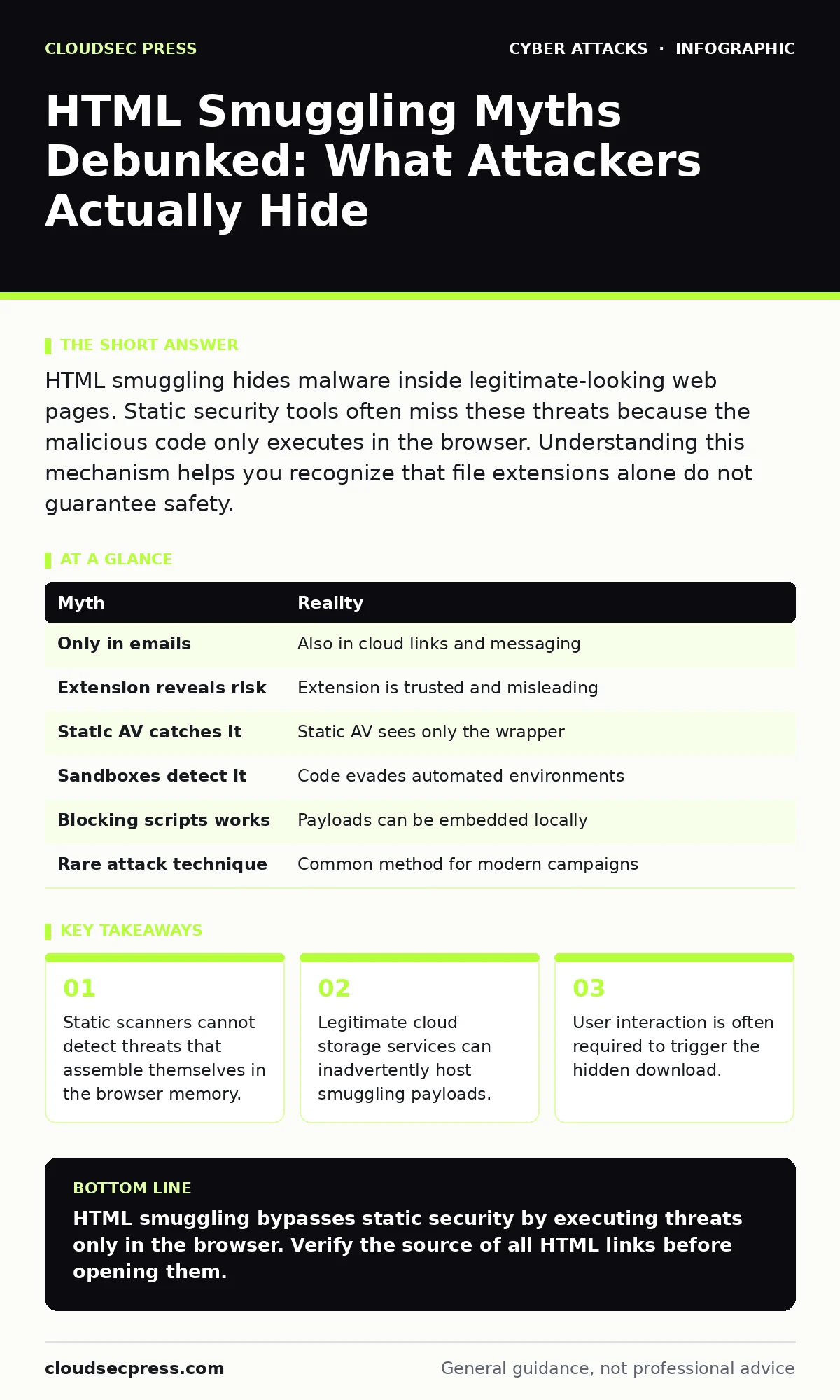
| Myth | Reality |
|---|---|
| Only in emails | Also in cloud links and messaging |
| Extension reveals risk | Extension is trusted and misleading |
| Static AV catches it | Static AV sees only the wrapper |
| Sandboxes detect it | Code evades automated environments |
| Blocking scripts works | Payloads can be embedded locally |
| Rare attack technique | Common method for modern campaigns |
Myth: Users can visually identify smuggling attempts
Reality: HTML files render as normal web pages. They do not display warning icons or unusual formatting. The malicious code runs in the background. You see only the intended content. There is no visual cue that a download is occurring. The browser may show a generic permission prompt, which users often accept without reading.
Imagine opening a page that looks like a news article. While you read, a script checks your system. It then downloads a hidden file. You notice nothing. The interface remains clean. This stealth is the primary advantage of HTML smuggling. It relies on your trust in the browser. You cannot distinguish a smuggler from a legitimate page by sight alone.
Myth: Updating the browser prevents smuggling
Reality: Browsers update to fix vulnerabilities, not to block logic-based attacks. HTML smuggling uses standard browser features. It relies on JavaScript and DOM manipulation. These are core functions, not bugs. Updating the browser does not remove these capabilities. It only patches specific security holes. The smuggling mechanism remains valid across versions.
You might believe a new browser version stops these threats. It does not. The attack uses intended functionality. The browser is doing what it was designed to do. The problem is the content it processes, not the processing engine itself. Defense requires policy and awareness, not just software updates. This reality aligns with why DKIM is necessary; technical standards alone do not prevent misuse of trusted channels.
Key takeaways
- Static scanners cannot detect threats that assemble themselves in the browser memory.
- Legitimate cloud storage services can inadvertently host smuggling payloads.
- User interaction is often required to trigger the hidden download.
HTML smuggling bypasses static security by executing threats only in the browser. Verify the source of all HTML links before opening them.
Frequently asked questions
Does HTML smuggling require JavaScript to work?
Yes, most HTML smuggling techniques rely on JavaScript to fetch or decode the malicious payload within the browser environment.
Can email filters block HTML smuggling links?
Standard email filters often miss these threats because the HTML file itself is not malicious until it executes in the browser.
Is HTML smuggling legal to test on my own network?
Testing security controls on your own infrastructure is generally legal, but you must ensure you do not inadvertently expose other systems to risk.
How does HTML smuggling differ from formjacking?
Formjacking steals data from web forms, while HTML smuggling uses web pages to deliver malware to your device.
How this guide was produced: written by the CloudSec Press editorial team with AI assistance, checked against the public references listed below, and reviewed when the facts change. See our editorial policy or report an error.