Unsecured Cloud Database: Response and Recovery Steps
Disconnecting network access preserves evidence while stopping data exfiltration, whereas shutting down the instance destroys the forensic timeline needed for investigation.

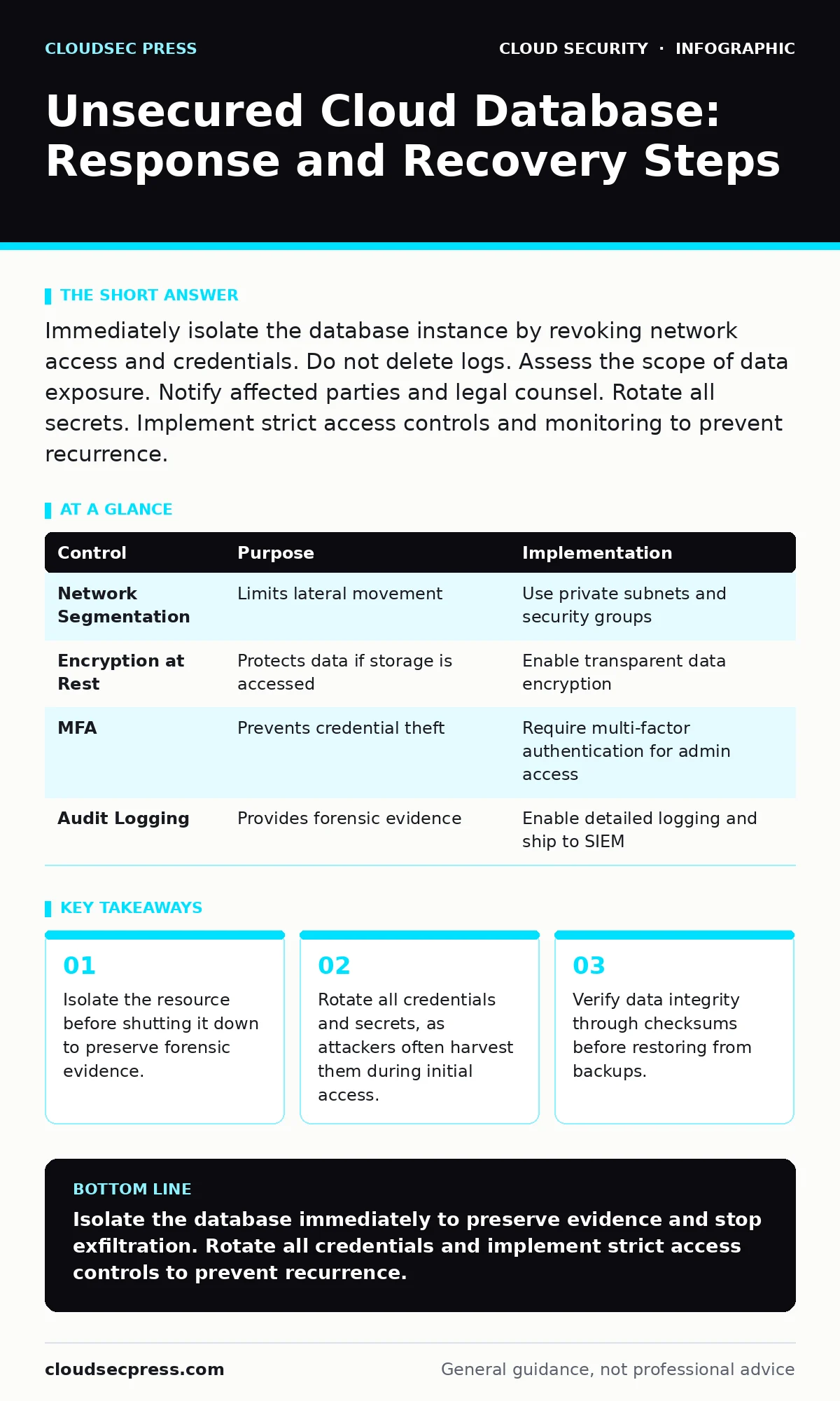
Immediately isolate the database instance by revoking network access and credentials. Do not delete logs. Assess the scope of data exposure. Notify affected parties and legal counsel. Rotate all secrets. Implement strict access controls and monitoring to prevent recurrence.
First hour
Immediate containment
Your first objective is to stop the bleeding without destroying the crime scene. You must assume the attacker has active sessions. The goal is to cut their access while keeping the system running long enough to capture logs.
Imagine a public-facing database is discovered with no authentication. An attacker is currently dumping tables. If you delete the instance, you stop the theft, but you also erase the IP addresses and query history that prove who did it and what they took. Instead, you isolate the resource.
- Identify the specific database instance and its unique identifier.
- Revoke network access by modifying security groups or firewall rules to deny all inbound traffic except from your management IP.
- Disable the specific IAM roles or service accounts that were used to access the database.
- Capture a snapshot of the current state for forensic analysis.
- Preserve all audit logs, access logs, and flow logs. Export them to a secure, immutable storage location immediately.
This isolation step is distinct from the exposure issues discussed in our guide on exposed storage buckets. While buckets often involve static files, databases involve active connections and complex query patterns that require different containment strategies.
First day
Scope assessment and credential rotation
Once the immediate exfiltration risk is contained, you must determine what happened. This phase requires careful analysis of the logs you preserved. You are looking for the initial entry point and the lateral movement within the cloud environment.
Attackers rarely target just one resource. They often use a compromised database credential to access other services. You must check if the same credentials were used elsewhere. This is similar to the lateral movement risks found in SaaS account takeover scenarios, where a single compromised password grants access to multiple applications.
- Analyze the access logs to identify the source IP addresses and user agents.
- Review the query logs to see which tables were accessed and whether data was exported.
- Check for any new users or roles created during the incident window.
- Look for unusual outbound traffic that might indicate data exfiltration to external servers.
After understanding the scope, you must assume all secrets are compromised. This includes database passwords, API keys, and encryption keys. You must rotate every credential associated with the affected instance. Do not reuse old passwords. Generate new, complex secrets and update them in your application configuration.
If your application uses federated identity for authentication, verify that the identity provider tokens were not spoofed. Attackers can sometimes manipulate token claims to gain unauthorized access. Ensure that your validation logic is strict and rejects any anomalies.
First week
Recovery and restoration
Recovery involves returning the database to a known good state. You should not restore from a backup taken after the compromise. You must identify a backup point that predates the initial unauthorized access.
Before restoring, you must verify the integrity of the backup. Attackers may have inserted malicious data or modified existing records. You should compare checksums of the backup against known good values. If you cannot verify integrity, you may need to reconstruct the data from application logs or other sources.
Imagine you restore the database, but the attacker had modified user permissions. The application starts working, but hidden backdoors remain. You must audit all database users and permissions after restoration. Remove any accounts that do not have a documented business need.
- Review all stored procedures and triggers for malicious code.
- Verify that schema changes made during the incident are removed.
- Test the application thoroughly to ensure functionality is restored.
- Monitor the restored database closely for any signs of recurring activity.
This process is more complex than recovering from cloud cryptojacking, where the primary issue is resource consumption. Here, the issue is data integrity and confidentiality. You must ensure that no residual malicious logic remains in the database engine.
Preventing recurrence
The final phase is hardening the environment to prevent a repeat. You must address the root cause of the exposure. This often involves misconfigured security groups, overly permissive IAM policies, or missing encryption.
You should implement the principle of least privilege. This means granting users and services only the permissions they strictly need. Regular audits of these permissions are necessary. You can use automated tools to scan for misconfigurations and alert you before they become vulnerabilities.
Consider the broader cloud security architecture. A single misconfigured database should not be able to compromise the entire environment. Network segmentation and strict access controls limit the blast radius of any single failure.
Also, review your container security if the database runs in a container. Insecure container images can introduce vulnerabilities that attackers exploit to access the database. Ensure that images are scanned and patched regularly.
| Control | Purpose | Implementation |
|---|---|---|
| Network Segmentation | Limits lateral movement | Use private subnets and security groups |
| Encryption at Rest | Protects data if storage is accessed | Enable transparent data encryption |
| MFA | Prevents credential theft | Require multi-factor authentication for admin access |
| Audit Logging | Provides forensic evidence | Enable detailed logging and ship to SIEM |
Who to tell
Notification is a legal and ethical requirement. You must inform your internal stakeholders, legal counsel, and potentially affected customers. The timing and content of these notifications depend on local regulations and the nature of the data exposed.
Legal counsel will guide you on regulatory requirements. They will help you determine if you are required to notify data protection authorities. You must also inform your insurance provider if you have cyber liability coverage.
Customers should be notified as soon as you have a clear picture of the breach. Be transparent about what happened, what data was affected, and what steps you are taking to protect them. Avoid technical jargon. Focus on the impact on the customer and the actions they can take, such as changing passwords.
See also: Cloud Security Architecture Diagram: Map Controls to Reduce Risk · 7 Payment Card Theft Mistakes That Leave Your Business Open
How to stop a repeat
Prevention requires a shift in culture and process. You must integrate security into your development lifecycle. This is often called DevSecOps. Security checks should be automated and run at every stage of the pipeline.
Regular penetration testing and vulnerability assessments are necessary. These tests simulate real-world attacks and help you identify weaknesses before attackers do. You should also conduct tabletop exercises to test your incident response plan.
Finally, educate your team. Developers and operations staff need to understand the risks of misconfigurations. Training should be specific to your cloud environment and the services you use. Knowledge of serverless security risks is also important, as serverless functions often interact with databases and can be a vector for attacks.
Key takeaways
- Isolate the resource before shutting it down to preserve forensic evidence.
- Rotate all credentials and secrets, as attackers often harvest them during initial access.
- Verify data integrity through checksums before restoring from backups.
Isolate the database immediately to preserve evidence and stop exfiltration. Rotate all credentials and implement strict access controls to prevent recurrence.
Frequently asked questions
Should I delete the compromised database instance?
No. Deleting the instance destroys forensic evidence such as logs and memory dumps. Isolate it instead by cutting network access.
How do I know if my data was stolen?
Analyze access logs for unusual queries and outbound traffic. Look for large data exports or access from unknown IP addresses.
Do I need to notify customers if only non-sensitive data was exposed?
It depends on local regulations and your terms of service. Consult legal counsel to determine notification requirements.
Can I use the same backup to restore the database?
Only if the backup is from before the compromise and you have verified its integrity. Otherwise, you may restore malicious data.
How this guide was produced: written by the CloudSec Press editorial team with AI assistance, checked against the public references listed below, and reviewed when the facts change. See our editorial policy or report an error.