Stop SaaS Account Takeover: Priority Controls That Work
Identity federation and conditional access remove more risk than password rules, yet most teams still rely on weak defaults.
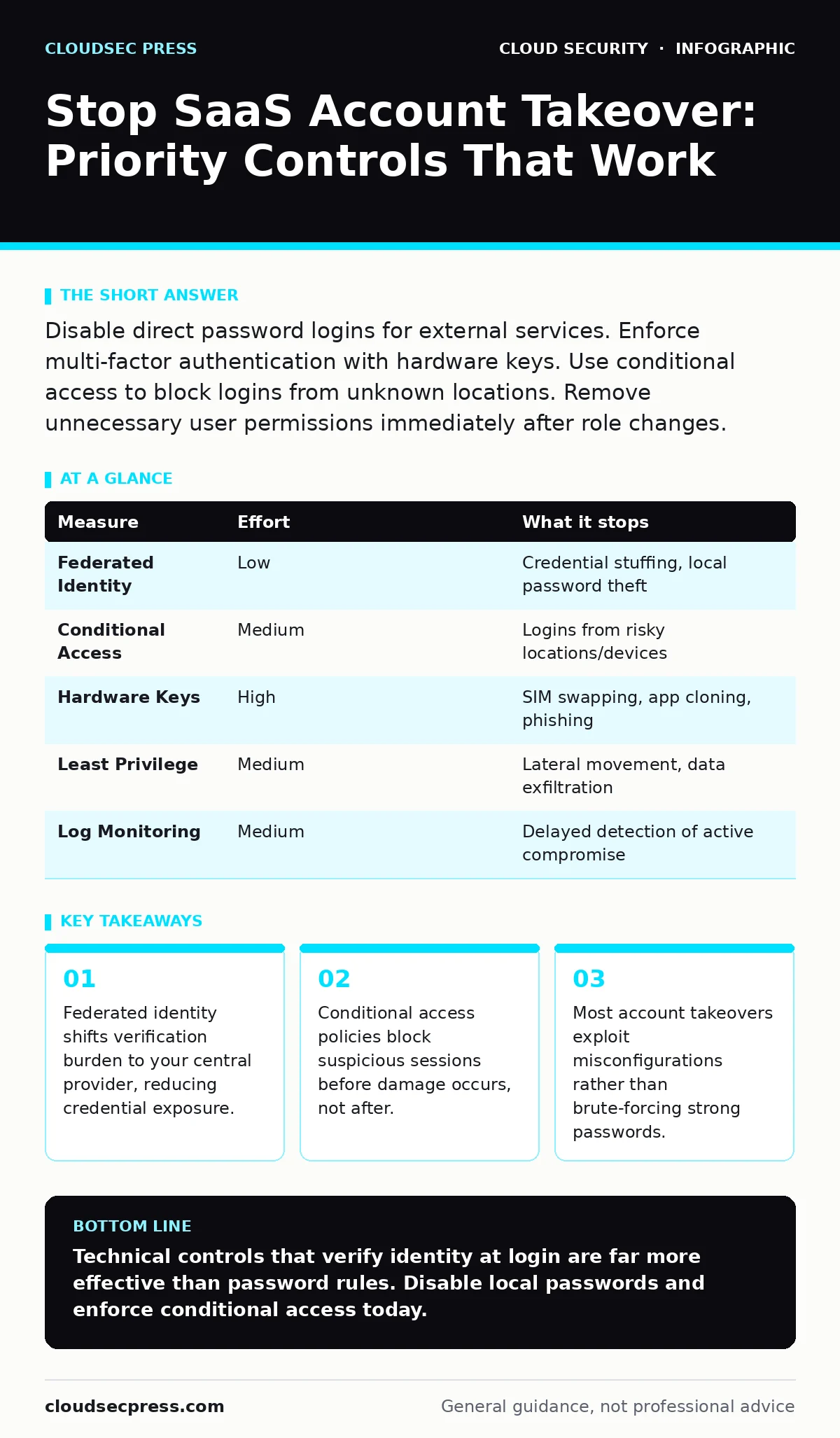
Disable direct password logins for external services. Enforce multi-factor authentication with hardware keys. Use conditional access to block logins from unknown locations. Remove unnecessary user permissions immediately after role changes.
The Illusion of Password Strength
You cannot rely on password complexity to stop account takeover. Attackers rarely guess passwords. They steal them from breaches in other services and try those credentials on your SaaS tools. This technique, called credential stuffing, works because users reuse passwords across platforms.
Adding special characters or length requirements does not stop an attacker who already has the correct password. It only makes life harder for you. You need controls that verify the user’s identity at the moment of login, regardless of what they type.
Enforce Federated Identity
Federated identity allows users to log in using credentials managed by a central provider, such as your corporate directory. This removes the need for SaaS apps to store or verify passwords directly. If an attacker steals a password from a breached forum, they cannot use it to access your Slack or Salesforce.
Configure your SaaS applications to accept only federated logins. Disable the option for users to create local accounts or reset passwords via email. This single change removes the entire attack surface of credential stuffing. It also simplifies user management because you control access from one place.
Deploy Conditional Access Policies
Conditional access policies evaluate context before granting login access. They check factors like device health, location, and risk score. If a login attempt comes from a country where you have no employees, the policy blocks it. If the device is not managed by your IT team, it denies access.
Set up policies that require verification when risk indicators appear. For example, require a second form of authentication if the user logs in from a new network. This stops attackers who have stolen valid credentials but lack the physical token or device associated with the account.
Prioritize Hardware Security Keys
Software-based multi-factor authentication, like SMS codes or authenticator apps, has weaknesses. SIM swapping attacks can intercept SMS codes. Malware can copy authenticator app secrets from your phone. Hardware security keys, which use public key cryptography, are immune to these threats.
Require hardware keys for administrative accounts and high-privilege users. These keys are physical devices you plug in or tap. They prove you are physically present, which remote attackers cannot fake. The cost is higher than SMS, but the security benefit is absolute for critical accounts.
Minimize Privilege Exposure
Account takeover is less damaging if the account has limited power. Many teams leave default permissions too broad. An attacker who takes over a user account can only do what that user can do. If the user has admin rights, the attacker controls everything.
Review permissions quarterly. Remove access for employees who change roles or leave. Use just-in-time access for administrative tasks. This means users get elevated rights only when needed and lose them immediately after. If an attacker steals credentials, they find a locked door.
See also: Cloud Migration Security Checklist: Stop Data Leaks Before Launch · Identity and Access Management System: How It Controls Cloud Access
Monitor for Anomalous Behavior
You cannot prevent every attempt, but you can detect them quickly. Most SaaS platforms provide logs of login attempts and user actions. You need to monitor these logs for patterns that indicate compromise. Look for logins from multiple locations in a short time.
Set up alerts for sensitive actions, like exporting data or changing email forwarding rules. These actions often signal that an attacker is exfiltrating data or trying to maintain access. Quick detection limits the window of opportunity for the attacker.
What Does Not Work Alone
Many teams believe that blocking known bad IP addresses is sufficient. It is not. Attackers use residential proxies and compromised devices that appear clean. They also use your own employees’ devices if those devices are infected.
Similarly, relying on user training to spot phishing emails is unreliable. Phishing techniques improve constantly. Even trained users click malicious links. You must assume some users will be tricked. Your technical controls must catch the mistake.
| Measure | Effort | What it stops |
|---|---|---|
| Federated Identity | Low | Credential stuffing, local password theft |
| Conditional Access | Medium | Logins from risky locations/devices |
| Hardware Keys | High | SIM swapping, app cloning, phishing |
| Least Privilege | Medium | Lateral movement, data exfiltration |
| Log Monitoring | Medium | Delayed detection of active compromise |
Quick Wins for Today
You do not need a massive project to start. Focus on the controls that remove the most risk with the least effort. Start by disabling local password creation in your most critical SaaS apps. Then, enforce multi-factor authentication for all users, prioritizing hardware keys for admins.
Finally, review your user list. Delete accounts for former employees and reduce permissions for those who do not need them. These steps close the largest gaps in your defense.
- Disable local password creation in top SaaS apps.
- Enforce MFA with hardware keys for admins.
- Remove access for inactive or former users.
Key takeaways
- Federated identity shifts verification burden to your central provider, reducing credential exposure.
- Conditional access policies block suspicious sessions before damage occurs, not after.
- Most account takeovers exploit misconfigurations rather than brute-forcing strong passwords.
Technical controls that verify identity at login are far more effective than password rules. Disable local passwords and enforce conditional access today.
Frequently asked questions
Does two-factor authentication stop all account takeovers?
No. If an attacker has your device and your password, they can bypass most software-based 2FA. Hardware keys and conditional access provide stronger protection.
Should I block all logins from outside my country?
Only if you have no remote workers. Blocking foreign IPs stops some attacks but can lock out legitimate traveling employees. Use risk-based policies instead.
How do I detect if an account is already compromised?
Look for sudden changes in login location, new devices, or unusual data exports. Set up alerts for these specific actions in your SaaS admin console.
What is the difference between SASE and CASB for this issue?
Secure access service edge (SASE) focuses on network access and identity, while cloud access security brokers (CASB) focus on application-specific data and usage. Both help, but identity controls are primary.
How this guide was produced: written by the CloudSec Press editorial team with AI assistance, checked against the public references listed below, and reviewed when the facts change. See our editorial policy or report an error.