Insecure Container Images: Risks and Protection for Small Teams
Your container image is a static artifact that retains every command history and unused library, creating a permanent attack surface long after development ends.

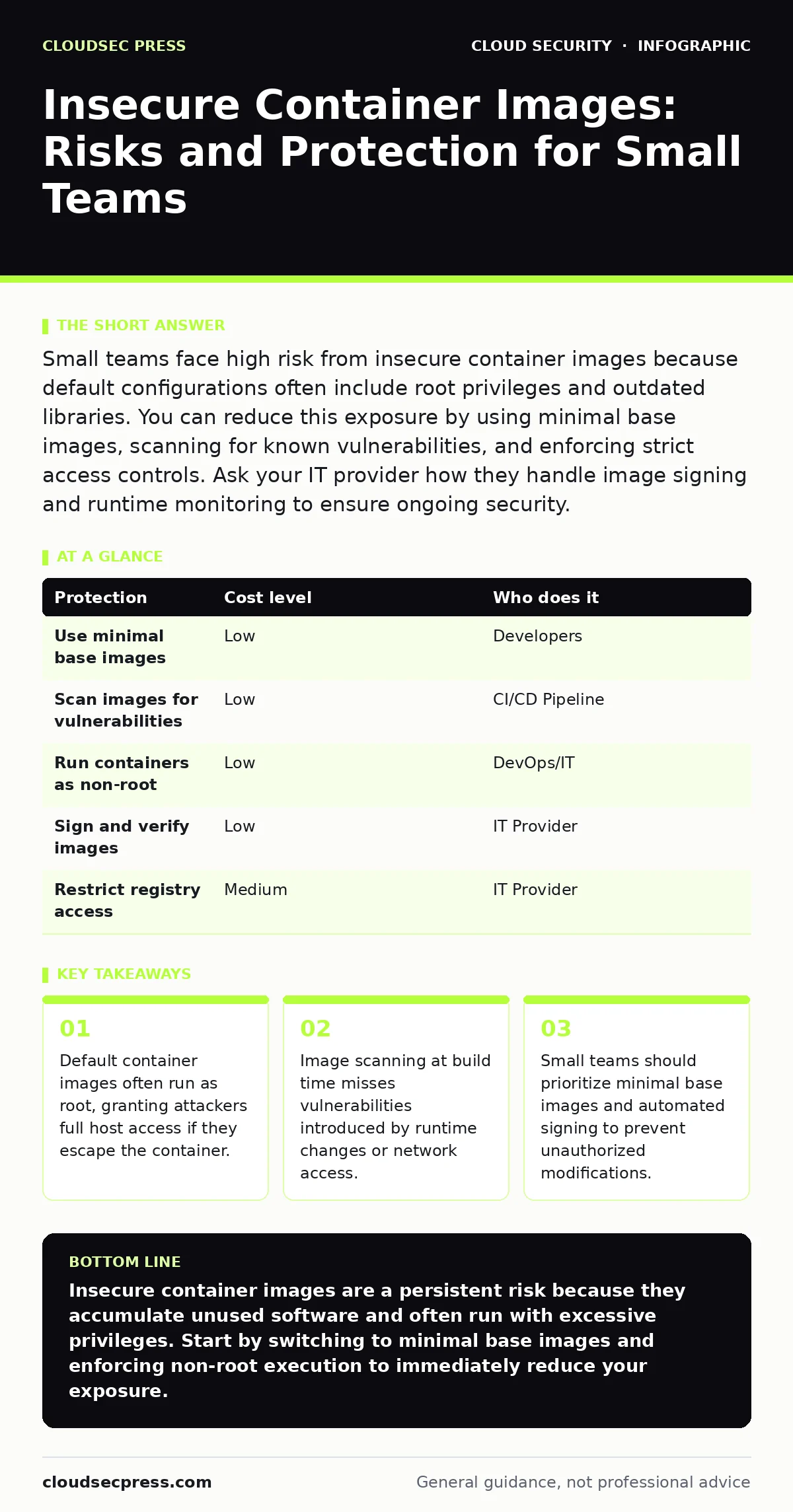
Small teams face high risk from insecure container images because default configurations often include root privileges and outdated libraries. You can reduce this exposure by using minimal base images, scanning for known vulnerabilities, and enforcing strict access controls. Ask your IT provider how they handle image signing and runtime monitoring to ensure ongoing security.
The Hidden Weight of Default Images
When you pull a container image from a public registry, you are not just getting the application. You are inheriting the entire operating system layer beneath it. Most default images are built for convenience, not security. They include package managers, shell utilities, and development libraries that the application never uses.
This creates a large attack surface. Every unused library is a potential entry point. If a vulnerability is discovered in a library you do not use, you still must patch it because the library remains in the image. This is known as transitive dependency risk. You are responsible for software you did not choose and do not need.
Small organizations are exposed because they rarely have the resources to audit these layers. They assume that because the container is isolated, the contents do not matter. This assumption fails when an attacker finds a way to break out of the container isolation. The extra software inside makes that breakout easier.
The Root User Trap
By default, many container images run processes as the root user. Root is the superuser in Unix-like systems, possessing unrestricted access to all files and commands. In a container, this means the application has full control over the container’s namespace.
If an attacker exploits a vulnerability in the application, they gain root access inside the container. From there, they can often access the host system’s resources, depending on how the container runtime is configured. This is called container escape. It turns a contained breach into a full server compromise.
Running as root is the most common misconfiguration. It is easy to fix but often overlooked. You must explicitly define a non-root user in your image build process. This limits the damage an attacker can do even if they breach the application. It does not prevent the breach, but it contains the blast radius.
Supply Chain Integrity
Container images are part of your software supply chain. If you trust an image, you trust every layer that built it. Public registries allow anyone to publish images. This means malicious actors can publish images with names similar to popular ones. This is known as typosquatting.
Even if you pull the correct image, the upstream maintainers might be compromised. An attacker could inject malicious code into a legitimate library, which then gets included in your image. This is a supply chain attack. You cannot verify the integrity of the image just by looking at its name or version.
You need a way to verify that the image you are running is exactly the image you built or approved. This requires cryptographic signing. When an image is signed, its content hash is encrypted with a private key. You can verify the signature with the public key. If the image has been tampered with, the signature will not match.
Low-Cost Protections for Small Teams
You do not need expensive tools to secure your container images. Many protections are built into standard tools or are free. The goal is to reduce the attack surface and verify integrity.
| Protection | Cost level | Who does it |
|---|---|---|
| Use minimal base images | Low | Developers |
| Scan images for vulnerabilities | Low | CI/CD Pipeline |
| Run containers as non-root | Low | DevOps/IT |
| Sign and verify images | Low | IT Provider |
| Restrict registry access | Medium | IT Provider |
Minimal base images, such as Alpine or Distroless, contain only the binaries needed to run the application. They lack shells and package managers, making it harder for attackers to install new malware or move laterally.
Scanning should happen automatically during the build process. If the scan finds critical vulnerabilities, the build fails. This prevents insecure images from ever reaching production. You do not need to scan every image every day, but you must scan before deployment.
What to Ask Your IT Provider
If you outsource your infrastructure, you must understand their security practices. Generic assurances are not enough. You need to know how they handle the specific risks of containerization.
- How do you verify the integrity of container images before deployment?
- Do you enforce non-root execution for all containers?
- What is your process for patching base images when new vulnerabilities are discovered?
- How do you monitor containers for suspicious runtime behavior?
- Do you use a private registry, and how is access controlled?
These questions reveal whether your provider treats containers as disposable code or as persistent assets. If they cannot answer clearly, you are likely exposed to supply chain risks. You should also consider related risks, such as unsecured cloud databases that might be exposed if a container is compromised.
See also: SaaS Access Reviews: Definition, Purpose, and Execution
Runtime Monitoring Gaps
Scanning an image before it runs is not enough. Applications change at runtime. They might download new dependencies, access sensitive files, or communicate with unexpected services. These changes are not visible in the static image.
Runtime monitoring detects these anomalies. It watches for processes that should not be running, network connections to unknown IPs, or file system changes. This is critical for detecting container escapes or cloud cryptojacking, where attackers use your resources to mine cryptocurrency.
Small teams often skip runtime monitoring because it adds complexity. However, without it, you are blind to attacks that occur after deployment. You must balance cost with visibility. Basic monitoring is often included in cloud platforms, but you must configure the alerts correctly.
The Cost of Convenience
Using public images saves time initially. It costs time later when you must patch vulnerabilities or investigate breaches. The hidden cost is the maintenance burden. Every layer in your image requires updates.
Imagine you build an image on top of a full Ubuntu distribution. You now inherit hundreds of packages. When a vulnerability is found in one of those packages, you must rebuild and redeploy your image. If you use a minimal image, you inherit only a few packages. The maintenance burden is lower.
Convenience in development leads to complexity in operations. For small teams, simplicity is a security feature. Fewer components mean fewer things to break and fewer things to patch. This aligns with principles found in serverless security risks, where reducing your managed infrastructure reduces your exposure.
Beyond Image Security
Securing the image is only one part of the puzzle. You must also secure the environment where it runs. This includes network policies, storage permissions, and identity management.
If your container accesses a database, ensure that access is restricted. Use federated identity to manage access across services. This ensures that only authorized applications can connect to your data.
Also, consider how you manage access to your cloud environment. A secure access service edge (SASE) approach can help secure remote access to your infrastructure. It ensures that users and devices are verified before they can interact with your containers.
Do not ignore the risk of SaaS account takeover. If an attacker compromises your cloud provider account, they can modify your container configurations or replace your images. Strong authentication and least privilege access are necessary.
Building a Defense in Depth
You cannot rely on a single control. You must layer protections. Start with minimal images to reduce the attack surface. Add scanning to catch known vulnerabilities. Enforce non-root execution to limit damage. Use signing to verify integrity.
This approach does not make you invulnerable. It makes attacks harder and more detectable. For small organizations, this balance is key. You do not need to be perfect, but you must be proactive.
Consider how your container security interacts with other areas. If you use Kubernetes admission controllers, you can enforce these policies automatically. This ensures that no insecure image can be deployed, regardless of who pushes it.
Also, be aware of exposed storage buckets. If your container writes data to a storage bucket, ensure that the bucket is not publicly accessible. A breach in the container could lead to data exposure in storage.
Key takeaways
- Default container images often run as root, granting attackers full host access if they escape the container.
- Image scanning at build time misses vulnerabilities introduced by runtime changes or network access.
- Small teams should prioritize minimal base images and automated signing to prevent unauthorized modifications.
Insecure container images are a persistent risk because they accumulate unused software and often run with excessive privileges. Start by switching to minimal base images and enforcing non-root execution to immediately reduce your exposure.
Frequently asked questions
Do I need to scan my container images if I build them myself?
Yes, because your build process may pull in vulnerable libraries from public repositories. Scanning catches these issues before deployment.
How often should I update my container base images?
You should update them whenever critical vulnerabilities are discovered. Automated scanning can alert you to these changes.
Can I use free tools to sign my container images?
Yes, many open-source tools allow you to sign and verify images without cost. This ensures that only approved images are deployed.
What is the biggest risk for small teams using containers?
The biggest risk is running containers as root. This allows attackers to escape the container and compromise the host system.
How this guide was produced: written by the CloudSec Press editorial team with AI assistance, checked against the public references listed below, and reviewed when the facts change. See our editorial policy or report an error.