What Is Cloud Backup: Mechanics, Risks, and Recovery Strategy
Cloud backup isolates data from primary infrastructure, ensuring recovery even when the main environment fails or is compromised by ransomware.
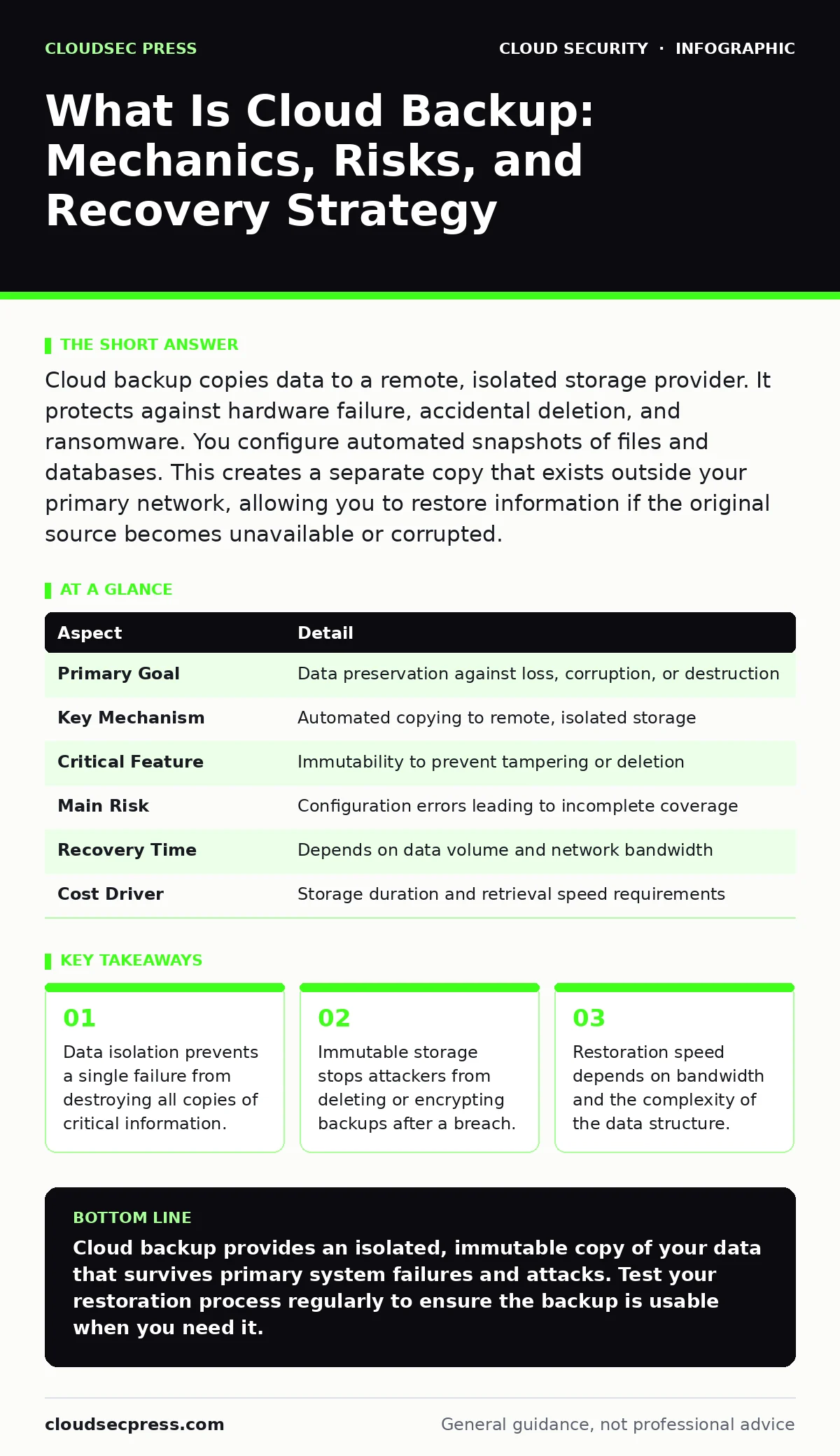
Cloud backup copies data to a remote, isolated storage provider. It protects against hardware failure, accidental deletion, and ransomware. You configure automated snapshots of files and databases. This creates a separate copy that exists outside your primary network, allowing you to restore information if the original source becomes unavailable or corrupted.
Everyday Analogy: The Off-Site Safe
Imagine keeping your family photos in a digital album on your laptop. If that laptop breaks, you lose everything. Cloud backup is like mailing photocopies of those photos to a secure, fireproof vault in another city. The original album stays on your desk for daily use. The copies sit in the vault, untouched and safe. If your house burns down or someone steals your laptop, the vault still holds the images. You can retrieve them later, but you cannot access them instantly while sitting at your desk. This separation defines the security value of the practice.
| Aspect | Detail |
|---|---|
| Primary Goal | Data preservation against loss, corruption, or destruction |
| Key Mechanism | Automated copying to remote, isolated storage |
| Critical Feature | Immutability to prevent tampering or deletion |
| Main Risk | Configuration errors leading to incomplete coverage |
| Recovery Time | Depends on data volume and network bandwidth |
| Cost Driver | Storage duration and retrieval speed requirements |
What Is Cloud Backup
What is cloud backup? It is the process of copying data from local systems or primary cloud environments to a separate, third-party storage infrastructure. This definition matters because many users confuse it with cloud storage. Cloud storage, such as syncing files to a personal account, keeps data accessible and editable in real time. Cloud backup creates a historical snapshot. The backup copy is not meant for daily editing. It exists solely to restore the system to a previous state. This distinction determines how you protect the data. A synced file can be deleted or encrypted by malware instantly. A true backup remains static and isolated until you explicitly request a restore.
The mechanism relies on replication. Software agents scan your designated folders or databases. They identify changes since the last copy. Only the modified data blocks are transmitted to the remote provider. This incremental approach saves bandwidth and time. The provider stores these blocks in encrypted format. Encryption happens before the data leaves your environment. This ensures the provider cannot read your content. You hold the keys to decrypt the information. This separation of duties is a standard security control.
Who It Affects and Why It Matters
Every organization that stores digital information needs this protection. Small teams rely on it to survive hardware failures. Large enterprises use it to meet regulatory retention requirements. The impact extends beyond simple data loss. Consider the operational cost of rebuilding a database from scratch. That cost includes labor hours, lost customer trust, and potential legal fees. Cloud backup mitigates these risks by providing a known-good state from the past.
It also affects incident response teams. When ransomware encrypts a primary environment, the backup is the last line of defense. If the backup is also encrypted or deleted, recovery becomes impossible. This scenario highlights why isolation is non-negotiable. The backup system must not share credentials with the primary system. It must not be accessible via the same network path. This architectural separation ensures that an attacker who compromises the main environment cannot easily reach the backup.
What People Usually Get Wrong
Many users believe that syncing files to a cloud drive constitutes a backup. This is a dangerous misconception. Sync services mirror changes in real time. If you delete a file locally, it disappears from the cloud. If malware encrypts a file locally, the encrypted version syncs to the cloud. You have no way to retrieve the original. True backup software maintains version history and isolation. It keeps old copies even after you delete the new ones.
Another common error is ignoring the restoration process. Users often configure backups and never test them. A backup that cannot be restored is useless. You must verify that the data integrity holds up. You must check that the restore speed meets your business needs. Restoring 10 gigabytes might take minutes. Restoring 10 terabytes might take days. Understanding this latency is critical for planning.
A third mistake is assuming unlimited retention is free or easy. Storage costs accumulate over time. Keeping every version of every file for years becomes expensive. You need a retention policy. This policy defines how long you keep each version. It balances cost against the need for historical data. A common approach is daily backups for 30 days, weekly for 12 months, and monthly for seven years. This 3-12-7 rule provides a balanced safety net.
How It Works: The Technical Flow
The process begins with agent deployment. You install lightweight software on the servers or workstations you want to protect. This agent communicates with a central management console. You define the scope: which folders, which databases, which virtual machines. You set the schedule: hourly, daily, or continuous.
When the schedule triggers, the agent scans for changes. It calculates checksums for each file. A checksum is a unique digital fingerprint of the data. If the fingerprint matches the last backup, the agent skips the file. If it differs, the agent uploads the new data. The data is compressed to reduce size. It is then encrypted using strong algorithms.
The encrypted data travels over a secure connection to the provider. The provider writes the data to disk. It may replicate it across multiple physical locations for redundancy. The provider then sends a confirmation to your console. You can monitor this status in real time. If the upload fails, the agent retries automatically. This loop continues indefinitely, ensuring your backup is always current.
See also: Shadow IT Prevention Checklist for Cloud Environments · Cloud Security Architecture Diagram: Map Controls to Reduce Risk
Configuration and Security Controls
You must configure access controls tightly. The backup service account needs only the permissions required to read data and write to the backup store. It should not have administrative rights to the primary systems. This principle of least privilege limits the damage if the account is compromised.
Enable immutability if the provider offers it. Immutable storage means data cannot be changed or deleted for a set period. Even administrators cannot override this setting. This feature is vital against ransomware. Attackers cannot encrypt or delete immutable backups. They must wait for the retention period to expire. This buys you time to detect the breach and initiate recovery.
Review your encryption keys. Use customer-managed keys rather than provider-managed ones. This ensures you control the decryption process. If you lose the keys, the data is unrecoverable. Store the keys in a separate hardware security module. Do not store them on the same network as the backup data. This separation prevents a single point of failure.
Related Security Practices
Cloud backup is one component of a broader security strategy. It works best when combined with other controls. For instance, understanding cloud security architecture helps you design isolation zones for your backup data. You place backups in a separate security group or virtual network. This prevents lateral movement from a compromised primary server.
You also need strong identity and access management. This ensures only authorized personnel can trigger a restore. Unauthorized restores can overwrite clean data with corrupted files. You should also review unsecured cloud databases to ensure your primary data sources are protected before you back them up. If the source is leaky, the backup captures the leak.
Consider cloud access security brokers (CASB) to monitor data movement. A CASB can detect unusual large downloads from your backup store. This might indicate an attacker exfiltrating data. Finally, be aware of serverless security risks. Serverless functions often have implicit permissions. Ensure these functions do not have write access to your backup buckets.
What To Do About It
Start by identifying your critical data. Not all data needs the same level of protection. Databases and customer records are high priority. Temporary files and caches are not. Focus your resources on what matters.
Choose a provider that supports immutability and customer-managed encryption. Verify their compliance certifications. Check their service level agreements for uptime and recovery time. Configure your backup jobs to run frequently. Test your restoration process quarterly. Document the steps so any team member can perform them.
Monitor your backup logs daily. Look for failures or warnings. Investigate any anomaly immediately. A failed backup is a silent risk. It only becomes visible when you need it most. Keep your retention policy under review. Adjust it as your business needs change. This proactive approach ensures your data remains safe and recoverable.
Key takeaways
- Data isolation prevents a single failure from destroying all copies of critical information.
- Immutable storage stops attackers from deleting or encrypting backups after a breach.
- Restoration speed depends on bandwidth and the complexity of the data structure.
Cloud backup provides an isolated, immutable copy of your data that survives primary system failures and attacks. Test your restoration process regularly to ensure the backup is usable when you need it.
Frequently asked questions
Does cloud backup protect against ransomware?
Yes, if the backup is immutable and isolated. Ransomware cannot encrypt or delete immutable data. Isolation prevents the malware from reaching the backup service via network paths.
How fast is cloud backup restoration?
Restoration speed depends on data volume and internet bandwidth. Small files restore in minutes. Large databases may take hours or days. Plan for this latency in your incident response plan.
Can I restore individual files from a cloud backup?
Most providers allow granular restoration. You can recover a single email, document, or database record without restoring the entire system. This saves time and reduces storage usage.
Is cloud backup compliant with data regulations?
Many providers offer compliance certifications for standards like GDPR or HIPAA. You must still configure the backup correctly. Encryption and retention policies must meet your specific legal requirements.
How this guide was produced: written by the CloudSec Press editorial team with AI assistance, checked against the public references listed below, and reviewed when the facts change. See our editorial policy or report an error.