How to Implement an SBOM: Step-by-Step for Software Teams
An SBOM reveals hidden supply chain risks by listing every component your software depends on, exposing threats you cannot see in your own code.
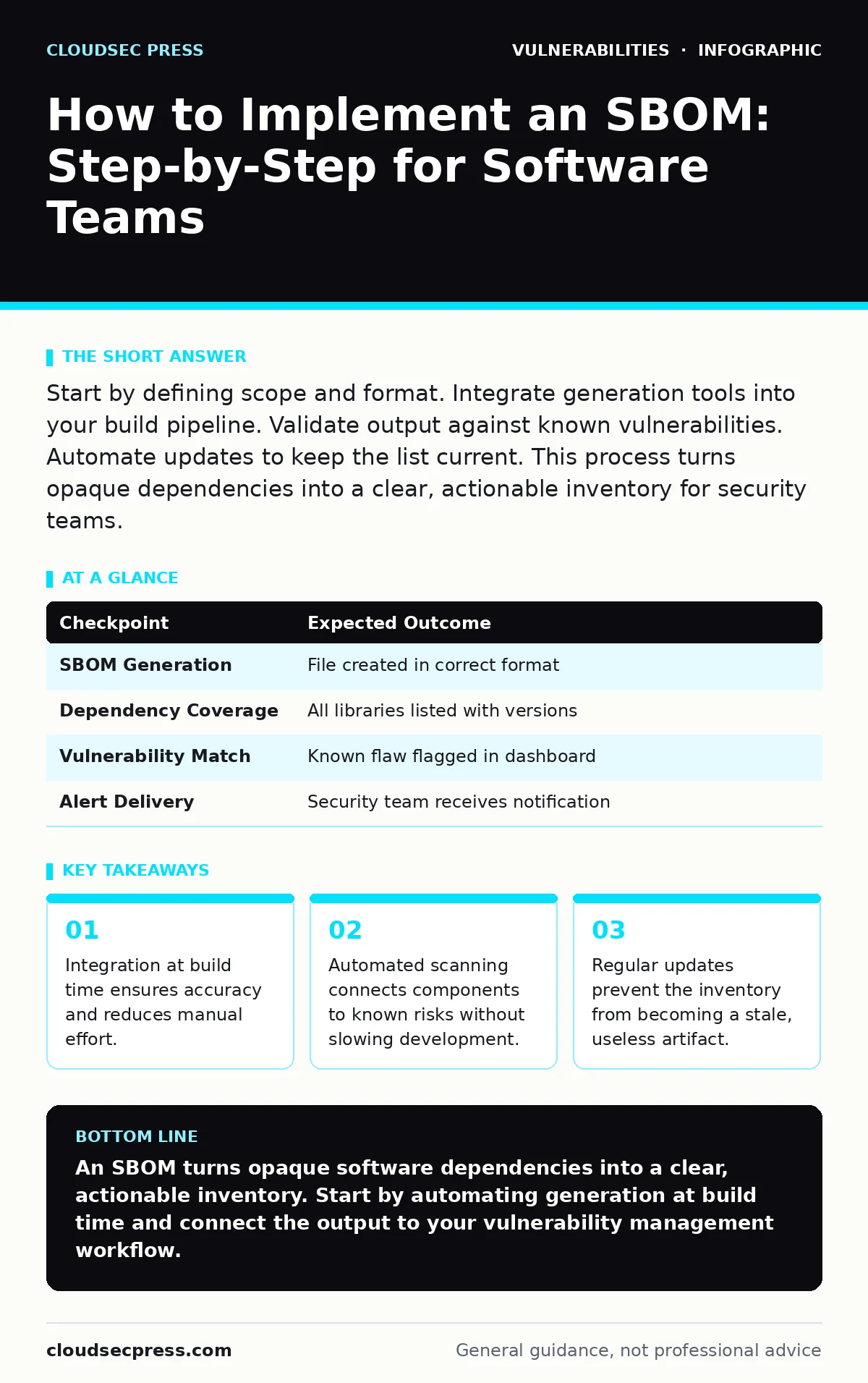
Start by defining scope and format. Integrate generation tools into your build pipeline. Validate output against known vulnerabilities. Automate updates to keep the list current. This process turns opaque dependencies into a clear, actionable inventory for security teams.
Defining Scope and Format
You cannot manage what you do not define. Start by deciding which applications require a software bill of materials (SBOM). An SBOM is a structured list of components that make up a software product. It acts like an ingredient label for your code. You must also choose a standard format. Common options include SPDX and CycloneDX. These formats ensure different tools can read the data. Choosing one format early prevents fragmentation. It allows your security and development teams to speak the same language.
Integrating Generation into the Build Pipeline
Manual creation of an SBOM is unsustainable. You must automate the process. Integrate SBOM generation tools directly into your continuous integration and continuous deployment (CI/CD) pipeline. This ensures that every time code is built, an inventory is created. The tool scans the source code and dependencies. It outputs a file in your chosen format. This step links the inventory to the specific build artifact. It guarantees that the SBOM matches the exact software version being deployed.
Step 1: Select and Configure Generation Tools
Choose a tool that supports your programming languages and package managers. Configure it to run as a step in your build process. Set it to fail the build if the SBOM cannot be generated. This forces developers to address dependency issues early. It prevents deployments with missing or incomplete inventories.
Step 2: Verify Output Completeness
Check the generated SBOM for accuracy. Ensure it lists all direct and transitive dependencies. Transitive dependencies are libraries that your code uses indirectly. They are often the source of hidden risks. A complete SBOM includes version numbers and license information. If the list is short, the tool may not be scanning deeply enough. Adjust the configuration to capture the full dependency tree.
Connecting Inventory to Risk
An SBOM is just a list until you connect it to risk data. You need a way to match components against known vulnerabilities. This is where your vulnerability management programs come into play. Integrate your SBOM output with a vulnerability database or scanner. The system checks each component against known flaws. It flags any matches for review. This step transforms raw data into security insights.
Step 3: Automate Vulnerability Matching
Configure your security platform to ingest SBOMs automatically. Set up rules to alert on high-severity issues. Do not rely on manual checks for every build. Automation ensures consistency and speed. It allows you to react quickly when new threats emerge. This integration is the core of your defense strategy.
Step 4: Establish Triage Procedures
Not all vulnerabilities require immediate action. You need a process to prioritize fixes. Consider the context of the component. Is it exposed to the internet? Is it critical to business logic? Use this context to rank risks. This approach aligns with attack surface management principles. It helps you focus on the most dangerous exposures first.
Validating the Implementation
You must verify that the system works as intended. Run a test deployment with a known vulnerable component. Check if the SBOM is generated correctly. Check if the vulnerability scanner flags the issue. This end-to-end test proves the pipeline is functional. It reveals gaps in configuration or tooling. Fix any issues before rolling out to all teams.
| Checkpoint | Expected Outcome |
|---|---|
| SBOM Generation | File created in correct format |
| Dependency Coverage | All libraries listed with versions |
| Vulnerability Match | Known flaw flagged in dashboard |
| Alert Delivery | Security team receives notification |
Maintaining Accuracy Over Time
Software changes constantly. Your SBOM must change with it. Any code update, library upgrade, or feature addition alters the inventory. You must ensure the SBOM reflects the current state of the application. This requires ongoing maintenance. It is not a set-and-forget task. Regular audits help catch drift between the inventory and the actual software.
Step 5: Monitor for Drift
Compare the SBOM from the build with the deployed version. Ensure they match. If they differ, investigate the cause. This might indicate a manual override or a broken pipeline step. Consistency is key for trust in the data. Inconsistent data leads to missed vulnerabilities.
Step 6: Review Licensing Compliance
SBOMs include license information. Use this data to check for compliance issues. Some licenses restrict commercial use or require attribution. Automated checks can flag non-compliant components. This prevents legal risks down the line. It also helps you manage third-party obligations.
See also: Vulnerability Remediation SLAs: Set Timelines That Actually Work · OpenSSH Vulnerability Response: Immediate Containment and Recovery Steps
Handling Edge Cases and Legacy Code
Not all software fits neatly into modern pipelines. Legacy applications may lack source code access. They may use obscure package managers. For these cases, you may need runtime analysis tools. These tools inspect the running application to identify components. They supplement the build-time SBOM. This hybrid approach ensures coverage even for difficult assets. It also helps identify end-of-life software that no longer receives updates.
Integrating with Broader Security Efforts
An SBOM does not work in isolation. It supports other security practices. For example, it helps in configuration hardening by identifying unnecessary components. Removing unused libraries reduces the attack surface. It also aids in responding to n-day vulnerabilities. When a new threat is announced, you can quickly check your SBOM for affected components. This speeds up remediation significantly.
Checklist for Successful Implementation
Use this list to verify your SBOM program.
- Standard format selected (SPDX or CycloneDX)
- Generation integrated into CI/CD pipeline
- Build fails if SBOM is missing
- Transitive dependencies included
- Vulnerability matching automated
- Triage process defined for alerts
- End-to-end test completed
- Licensing compliance checked
- Legacy code strategy defined
- Regular audits scheduled
Key takeaways
- Integration at build time ensures accuracy and reduces manual effort.
- Automated scanning connects components to known risks without slowing development.
- Regular updates prevent the inventory from becoming a stale, useless artifact.
An SBOM turns opaque software dependencies into a clear, actionable inventory. Start by automating generation at build time and connect the output to your vulnerability management workflow.
Frequently asked questions
Do I need an SBOM for every internal tool?
Prioritize tools that handle sensitive data or connect to external networks. Internal tools with no external exposure pose lower risk.
How often should I update the SBOM?
Update it with every build. This ensures the inventory always matches the deployed software version.
Can an SBOM prevent all supply chain attacks?
No. It helps you identify and respond to risks faster. It does not stop attackers from introducing malicious code.
What if my build tool does not support SBOM generation?
Use a standalone scanner that can analyze the final artifact. Integrate this scanner into your deployment process.
How this guide was produced: written by the CloudSec Press editorial team with AI assistance, checked against the public references listed below, and reviewed when the facts change. See our editorial policy or report an error.