SOAR Definition: How Security Orchestration Automates Chaos
SOAR turns scattered alerts into structured actions, reducing the manual workload that slows down incident response and increases human error.

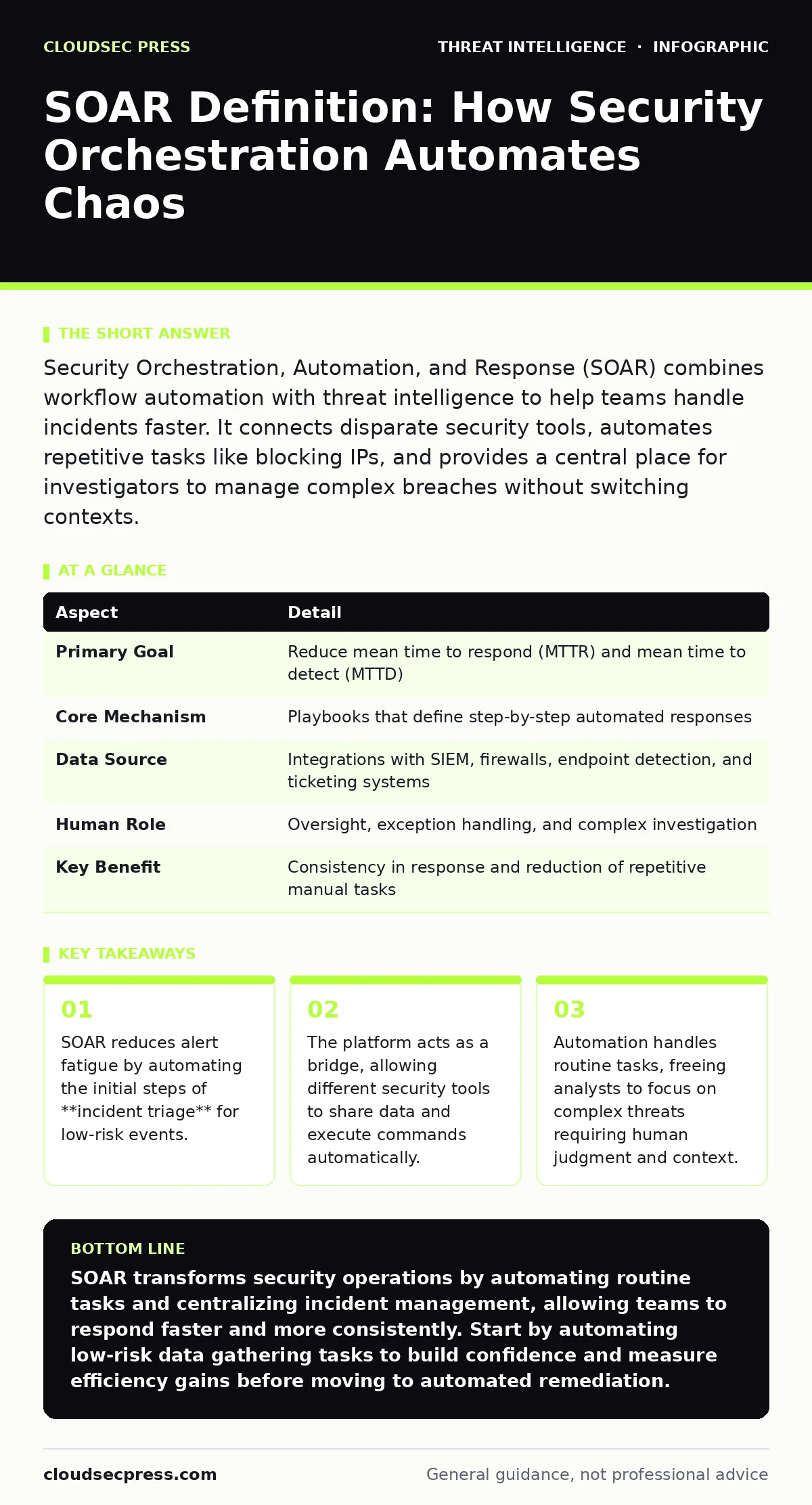
Security Orchestration, Automation, and Response (SOAR) combines workflow automation with threat intelligence to help teams handle incidents faster. It connects disparate security tools, automates repetitive tasks like blocking IPs, and provides a central place for investigators to manage complex breaches without switching contexts.
From Alarm to Action
Imagine a smoke detector goes off in a large building. Without a plan, people panic, run in circles, and call each other to figure out who has the key to the sprinkler system. With a plan, the alarm triggers a specific sequence: doors lock, elevators ground, and the fire department receives the exact floor number. Security operations centers (SOCs) face a similar problem every day. They receive hundreds of alerts, but lack a unified process to react quickly and correctly.
SOAR solves this by providing that plan. It stands for Security Orchestration, Automation, and Response. The "orchestration" part connects your various security tools so they can talk to each other. The "automation" part executes predefined steps without human input. The "response" part gives analysts a workspace to manage the ongoing incident. Together, they turn a chaotic stream of notifications into a structured, manageable workflow.
| Aspect | Detail |
|---|---|
| Primary Goal | Reduce mean time to respond (MTTR) and mean time to detect (MTTD) |
| Core Mechanism | Playbooks that define step-by-step automated responses |
| Data Source | Integrations with SIEM, firewalls, endpoint detection, and ticketing systems |
| Human Role | Oversight, exception handling, and complex investigation |
| Key Benefit | Consistency in response and reduction of repetitive manual tasks |
The Anatomy of a SOAR Platform
A SOAR platform is not a single tool but a framework that sits on top of your existing security infrastructure. It relies on three main components to function effectively. First, it needs connectors. These are interfaces that allow the SOAR platform to send commands to and receive data from other systems, such as firewalls, email gateways, or SIEM platforms. Without these connectors, the SOAR platform is isolated and cannot take action.
Second, it requires playbooks. A playbook is a visual or code-based workflow that dictates what happens when a specific alert fires. For example, a playbook for a phishing email might automatically isolate the infected workstation, delete the email from all inboxes, and create a ticket for the analyst. The playbook ensures that every response follows the same logical path, removing guesswork from the process.
Third, it provides a case management interface. This is the dashboard where analysts track the status of incidents. It aggregates logs, alerts, and automated actions into a single view. It keeps the investigation history intact and searchable for future reference or compliance audits.
Solving the Noise Problem
The primary problem SOAR addresses is alert fatigue. Modern security tools generate more alerts than any human team can investigate thoroughly. Many of these alerts are false positives or low-priority events that still require a logged response. Without automation, analysts spend their day closing benign alerts, leading to burnout and missed signals.
SOAR filters this noise by applying logic before a human ever sees the alert. If an alert matches a known benign pattern, the system can automatically close it or lower its priority. If it matches a high-confidence threat pattern, the system can take immediate containment actions. This prioritization ensures that human attention is reserved for events that actually require complex decision-making.
This filtering also improves consistency. Humans make mistakes when tired or stressed. An automated playbook does not forget to check a specific log source or skip a step because it is Friday afternoon. This consistency is critical when defending against attacker persistence techniques, where missing a single step can allow a threat to remain hidden for weeks.
The Automation Boundary
Not every security task should be automated. The most dangerous aspect of SOAR is the potential for automated error. If a playbook is poorly designed, it can block legitimate traffic, lock out executive accounts, or delete critical evidence. The cost of a false positive in automation is immediate and often severe.
You must define clear boundaries for what the system can do automatically. Generally, information-gathering actions are safe to automate. These include looking up an IP address reputation, checking if a file hash exists in a database, or querying user login history. Remediation actions, such as blocking an IP or disabling an account, carry higher risk. These often require human approval, especially if the action affects business operations.
This distinction preserves the value of human expertise. Automation handles the "what" and "how" of routine tasks. The human handles the "why" and "what if." For example, an automated system might block an IP address. A human analyst determines if that IP belongs to a cloud provider used by your customers. This balance prevents the system from causing more harm than the threat it is trying to stop.
Integration with Defense Layers
SOAR does not replace other security tools; it enhances them. It sits between your detection systems and your containment systems. A SIEM collects and correlates logs to detect anomalies. The SIEM sends these alerts to the SOAR platform. The SOAR platform then orchestrates the response by sending commands back to the firewall or endpoint protection system.
This integration is vital for IOC enrichment. When an alert fires, the SOAR platform can automatically query multiple threat intelligence feeds to see if the involved IP, domain, or file hash is known to be malicious. This adds context to the alert before the analyst opens it. Instead of starting from zero, the analyst sees that the threat matches the Pyramid of Pain category of "File Hashes," which are easy for attackers to change but useful for immediate blocking.
However, integration complexity is a hidden cost. Every tool you connect requires maintenance. If a vendor updates their API, your SOAR connector might break. You must budget time for managing these integrations. A SOAR platform with many broken connectors is worse than no SOAR platform at all, as it creates a false sense of security.
See also: Ransomware Recovery Plans: 8 Practices for Downtime Reduction · Cyber Espionage Prevention Checklist: Stop Silent Data Theft
Common Misconceptions
Many organizations view SOAR as a magic wand that will eliminate the need for skilled analysts. This is incorrect. SOAR shifts the workload rather than removing it. Analysts still need to write, test, and maintain playbooks. They still need to investigate complex incidents that fall outside automated rules. The role changes from "alert responder" to "automation engineer and investigator."
Another misconception is that SOAR provides threat intelligence. It does not. It consumes threat intelligence. You must feed it high-quality data from external sources or internal threat actor profiling efforts. If your threat intel is poor, your automated responses will be poor. The platform is only as good as the data and logic you put into it.
Finally, some teams believe that once SOAR is installed, they are done. This is a setup error. SOAR requires continuous tuning. As attackers change tactics, your playbooks must evolve. You must review automated actions regularly to ensure they are still effective and not causing unintended side effects.
Where to Start
Implementing SOAR is a journey, not a one-time project. Begin by identifying the most frequent, repetitive, and low-risk alerts in your environment. These are the best candidates for your first playbooks. Common starting points include phishing email analysis, IP reputation checking, and initial log collection for potential breaches.
Focus on standardizing your processes before automating them. If your current manual process is inconsistent or poorly defined, automating it will only scale the chaos. Document the ideal response steps clearly. Then, translate those steps into a SOAR playbook. Test the playbook in a sandbox environment before deploying it to production.
As you gain confidence, expand the scope. Move from information gathering to limited containment actions. Always measure the impact. Track how much time you save and how many false positives you reduce. Use these metrics to justify further investment and to identify areas where manual intervention is still necessary.
Key takeaways
- SOAR reduces alert fatigue by automating the initial steps of **incident triage** for low-risk events.
- The platform acts as a bridge, allowing different security tools to share data and execute commands automatically.
- Automation handles routine tasks, freeing analysts to focus on complex threats requiring human judgment and context.
SOAR transforms security operations by automating routine tasks and centralizing incident management, allowing teams to respond faster and more consistently. Start by automating low-risk data gathering tasks to build confidence and measure efficiency gains before moving to automated remediation.
Frequently asked questions
Does SOAR replace a SIEM?
No, SOAR complements a SIEM. The SIEM detects and correlates alerts, while SOAR orchestrates the response to those alerts. They work together to close the loop between detection and action.
Is SOAR only for large enterprises?
No, smaller teams benefit significantly from SOAR because they have fewer resources to handle high alert volumes. Cloud-based SOAR solutions can be cost-effective for mid-sized organizations looking to scale their security operations.
How long does it take to implement SOAR?
Basic implementation can take weeks, but full maturity takes months or years. It depends on the number of integrations and the complexity of the playbooks. Start small with a few playbooks and expand gradually to avoid overwhelming your team.
What is the biggest risk of using SOAR?
The biggest risk is automating errors. Poorly designed playbooks can cause service outages or data loss. Rigorous testing and keeping humans in the loop for high-impact decisions are necessary to mitigate this risk.
How this guide was produced: written by the CloudSec Press editorial team with AI assistance, checked against the public references listed below, and reviewed when the facts change. See our editorial policy or report an error.