Server-Side Request Forgery: Step-by-Step Attack Mechanics
Server-side request forgery exploits the application’s trusted network position to access internal resources that firewalls normally shield from external users.

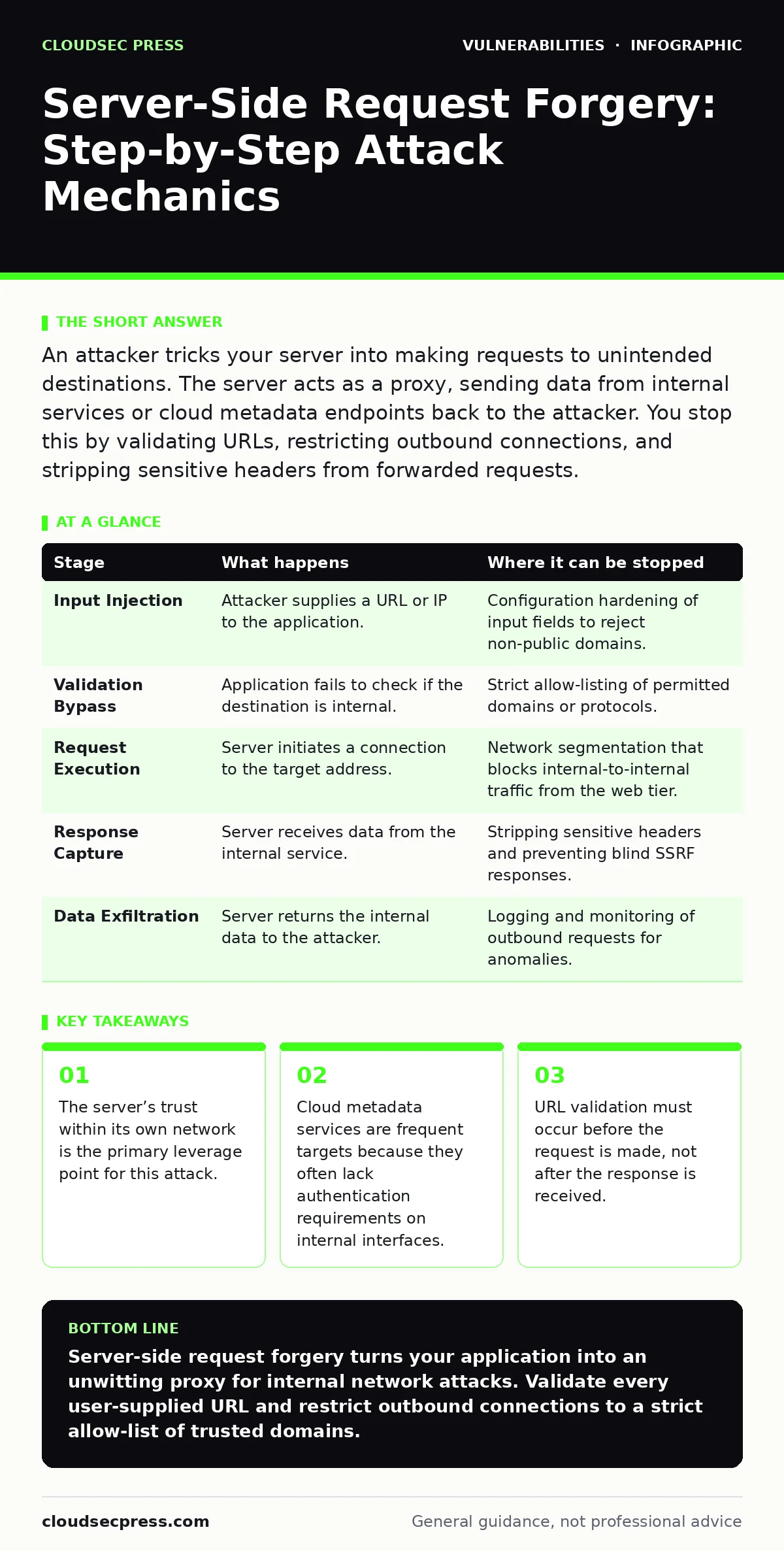
An attacker tricks your server into making requests to unintended destinations. The server acts as a proxy, sending data from internal services or cloud metadata endpoints back to the attacker. You stop this by validating URLs, restricting outbound connections, and stripping sensitive headers from forwarded requests.
The Trust Boundary Breach
Most applications sit behind a firewall that blocks direct access to internal databases or administrative panels. However, the application itself must often reach out to other systems to function. It might fetch a user profile image, call a legacy API, or check for updates. This necessity creates a bridge. An attacker cannot cross the firewall, but they can ask the application to cross it for them.
This mechanism is known as server-side request forgery, or SSRF. The flaw exists because the application accepts a URL or IP address from a user and uses it to make a request without sufficient verification. The server assumes the user wants to access a public resource. It does not realize the user wants to access a private one.
Stage 1: Input Injection
The process begins with a form field, an API parameter, or a header that accepts a location. Imagine a feature that allows users to upload a profile picture from a URL. The application takes the string provided by the user and passes it to a backend library that handles HTTP requests.
The attacker provides a URL that looks normal but points to an internal address. This specific address is a standard interface for cloud instance metadata. The application treats this input as a legitimate destination for the image fetch.
| Stage | What happens | Where it can be stopped |
|---|---|---|
| Input Injection | Attacker supplies a URL or IP to the application. | Configuration hardening of input fields to reject non-public domains. |
| Validation Bypass | Application fails to check if the destination is internal. | Strict allow-listing of permitted domains or protocols. |
| Request Execution | Server initiates a connection to the target address. | Network segmentation that blocks internal-to-internal traffic from the web tier. |
| Response Capture | Server receives data from the internal service. | Stripping sensitive headers and preventing blind SSRF responses. |
| Data Exfiltration | Server returns the internal data to the attacker. | Logging and monitoring of outbound requests for anomalies. |
Stage 2: Validation Bypass
Many developers attempt to stop SSRF by checking if a URL contains localhost or private IP ranges. This is often insufficient. Attackers use various encoding techniques to evade simple string checks. They might use octal notation, hexadecimal IPs, or double-encoded characters. A check that looks for the text "127.0.0.1" will miss 0x7f000001 or 0177.0.0.1.
The application’s validation logic must resolve the final destination before allowing the request. If it only checks the string provided by the user, it fails. The attacker exploits this gap by providing a URL that passes the initial check but resolves to an internal address during the DNS lookup or connection phase.
Stage 3: Request Execution
Once the validation fails to block the request, the server initiates a connection. This is where the network topology matters. The server often resides in a network segment that can communicate with internal services. These services might include databases, message queues, or administrative dashboards. They are not exposed to the internet, but they are accessible to the web server.
The attacker relies on this lateral connectivity. The server acts as a pivot point. It sends the request to the internal service. The internal service, seeing a request from a trusted internal IP, responds normally. It does not suspect that the request originated from an external attacker via the web application.
Stage 4: Response Capture
The internal service sends data back to the web server. This data might contain sensitive information. It could be cloud credentials, database entries, or internal configuration details. The web server receives this response. If the application is designed to return the content of the fetched URL to the user, the sensitive data is included in the HTTP response.
In some cases, the application does not return the content directly. This is known as blind SSRF. The attacker cannot see the response immediately. Instead, they force the server to make a request to a domain they control. The internal service sends data to this external domain. The attacker captures the data on their server. This technique bypasses the need for the web application to echo the response.
See also: Formjacking: How Small Businesses Lose Customer Data
Stage 5: Data Exfiltration
The final stage involves the attacker retrieving the stolen data. In direct SSRF, the data appears in the browser or API response. The attacker can parse this response to extract credentials or internal files. In blind SSRF, the attacker checks their external server for the incoming request containing the sensitive data.
The damage depends on what the server could access. If it reached a cloud metadata service, the attacker might obtain temporary credentials. These credentials can be used to access other cloud resources. If it reached an internal database, the attacker might extract user records. The attack chain ends here, but the consequences extend further.
Breaking the Chain
Interrupting this process requires multiple layers of defense. Input validation is the first line, but it is rarely enough. You must also restrict where the application is allowed to make requests. Use a proxy or an allow-list to limit outbound connections to known, trusted domains.
Network segmentation is critical. The web server should not have direct access to internal services. It should communicate through APIs that enforce authentication. Even if an attacker forces the server to make a request, the internal service will reject it if it lacks the proper credentials.
The Hidden Cost of Trust
A common mistake is assuming that because the server is behind a firewall, it is safe from external input. This is false. The firewall protects the server, but the server protects the internal network. When the server is tricked into making requests, it bypasses the firewall’s protections.
Developers often focus on preventing cross-site scripting or SQL injection. They overlook SSRF because it does not directly execute code on the server. However, it can lead to full account takeover if cloud credentials are exposed. The risk is not just data leakage; it is lateral movement within the infrastructure.
Integrating SSRF checks into your vulnerability management programs ensures that new features are reviewed for this risk. Regular patch testing helps identify libraries that may have introduced SSRF vulnerabilities. While n-day vulnerabilities get attention, SSRF is often a logic error in your own code, not a flaw in a third-party library. This means end-of-life software is less relevant here than poor coding practices.
Reviewing your software bill of materials (SBOM) can help identify dependencies that handle HTTP requests. Some libraries have default behaviors that are insecure. Understanding these defaults allows you to configure them safely. Security bulletins often highlight SSRF issues in popular frameworks. Subscribing to these alerts helps you stay ahead of emerging exploitation techniques.
Unlike DLL hijacking, which relies on loading malicious code, SSRF relies on the application’s willingness to fetch remote content. It is a problem of trust, not execution. Configuration hardening is your best defense against this type of trust abuse.
Key takeaways
- The server’s trust within its own network is the primary leverage point for this attack.
- Cloud metadata services are frequent targets because they often lack authentication requirements on internal interfaces.
- URL validation must occur before the request is made, not after the response is received.
Server-side request forgery turns your application into an unwitting proxy for internal network attacks. Validate every user-supplied URL and restrict outbound connections to a strict allow-list of trusted domains.
Frequently asked questions
Does HTTPS prevent server-side request forgery?
No. HTTPS encrypts the connection between the server and the destination, but it does not validate whether the destination is authorized. The attacker can still supply an HTTPS URL pointing to an internal service.
How do I test for SSRF in my applications?
You can use automated scanning tools that attempt to access internal IP addresses and cloud metadata endpoints. Manual testing involves supplying various URL formats, including localhost, private IPs, and encoded variants, to see if the server returns internal data.
How this guide was produced: written by the CloudSec Press editorial team with AI assistance, checked against the public references listed below, and reviewed when the facts change. See our editorial policy or report an error.