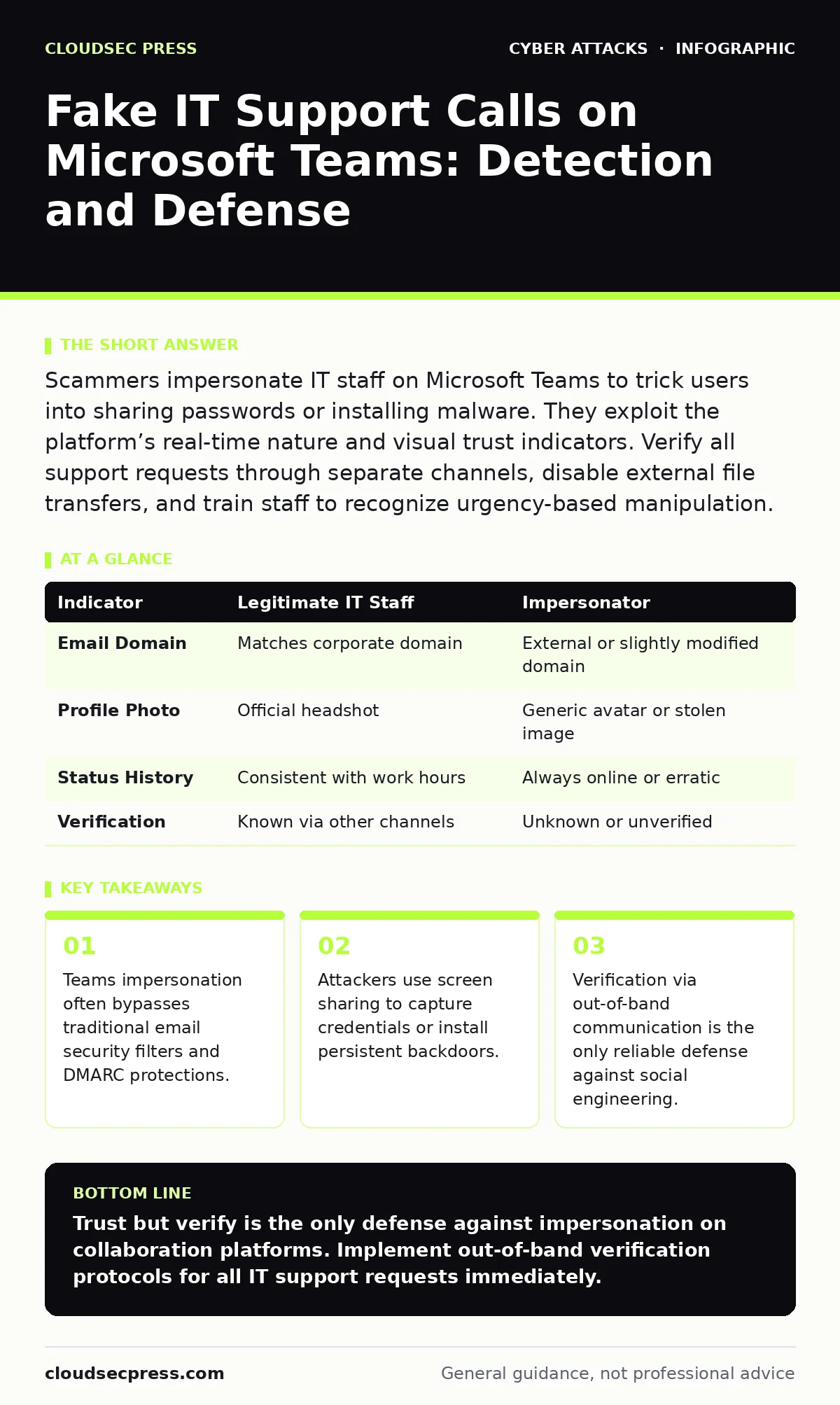
Fake IT Support Calls on Microsoft Teams: Detection and Defense
Attackers exploit the trust inherent in enterprise chat platforms to bypass email security controls and extract credentials through social engineering.
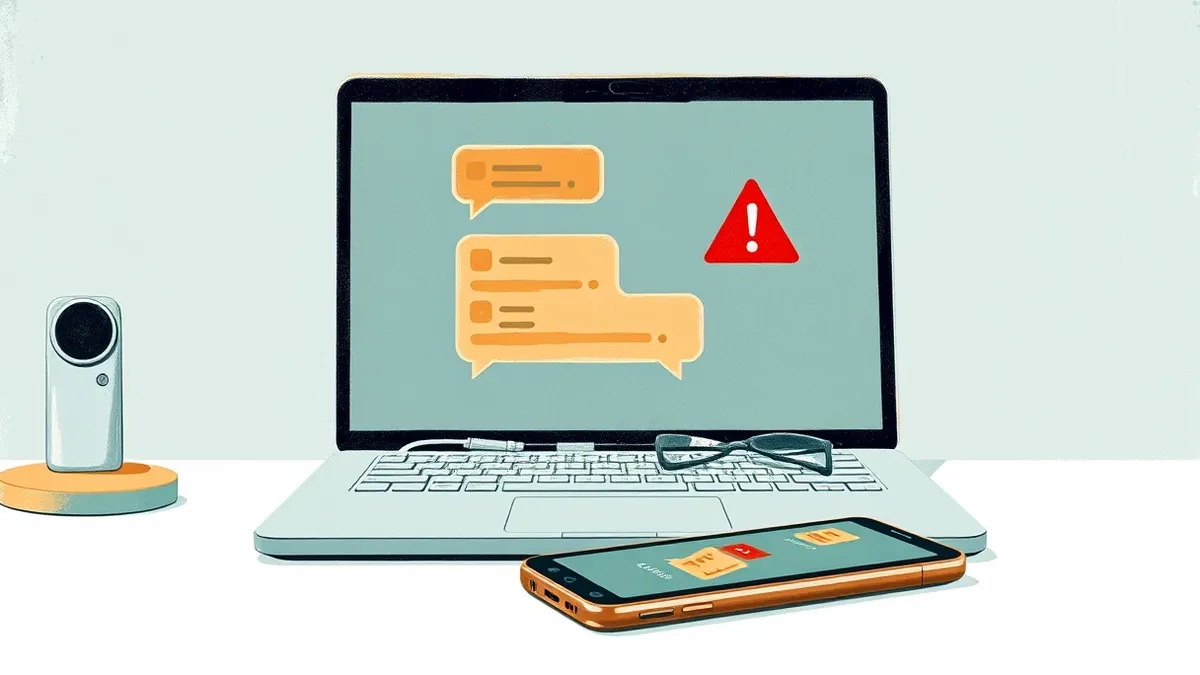
Scammers impersonate IT staff on Microsoft Teams to trick users into sharing passwords or installing malware. They exploit the platform’s real-time nature and visual trust indicators. Verify all support requests through separate channels, disable external file transfers, and train staff to recognize urgency-based manipulation.
How do attackers initiate fake IT support calls on Teams?
Attackers initiate contact by sending unsolicited messages or voice calls from accounts that mimic legitimate IT staff. They often use display names that match real employees or generic titles like "Help Desk." The attacker waits for the user to respond, then escalates urgency by claiming a system error or security alert. This method exploits the immediacy of instant messaging, which encourages quick, unverified responses.
Why is Microsoft Teams a preferred channel for this fraud?
Microsoft Teams is preferred because it integrates deeply into daily workflows and carries inherent organizational trust. Users expect colleagues to communicate via Teams, lowering their guard. Unlike email, which often triggers skepticism regarding unsolicited attachments, chat messages feel conversational and immediate. This psychological shift makes victims more likely to comply with requests for remote access or credential sharing without verifying the sender’s identity through independent means.
What technical indicators reveal a spoofed Teams account?
Several technical indicators reveal a spoofed account, though attackers often mask them. Check the actual email address associated with the user profile, not just the display name. Look for external domain tags, which appear when the user is outside your organization. Verify the user’s presence status and profile photo against known IT staff. If the account has no activity history or lacks a proper department assignment, treat it as suspicious.
| Indicator | Legitimate IT Staff | Impersonator |
|---|---|---|
| Email Domain | Matches corporate domain | External or slightly modified domain |
| Profile Photo | Official headshot | Generic avatar or stolen image |
| Status History | Consistent with work hours | Always online or erratic |
| Verification | Known via other channels | Unknown or unverified |
How do attackers use screen sharing to steal credentials?
Attackers request screen sharing to view the user’s desktop directly. Once connected, they guide the user to log into a fake portal or paste sensitive data into a text editor. The attacker captures this information visually. This method bypasses keyloggers and network monitoring because the data never traverses the network as a packet. It relies entirely on the victim’s willingness to display their screen, making technical controls less effective than behavioral training.
What is the role of urgency in these social engineering attacks?
Urgency disables critical thinking by triggering a stress response. Attackers claim that a server is crashing, a virus is spreading, or compliance is at risk. They demand immediate action to prevent data loss or job termination. This pressure prevents the victim from verifying the request through standard procedures. Imagine an employee receiving a message that their account will be locked in 5 minutes unless they share their password. The fear of disruption overrides security protocols.
Why do traditional email security controls fail to stop this?
Traditional email security controls fail because they do not monitor instant messaging traffic. DMARC, DKIM, and SPF protocols authenticate email sources but have no visibility into Teams messages. These attacks occur within the application layer of the collaboration platform, bypassing perimeter email filters entirely. Suppose your organization has perfect email authentication. An attacker can still compromise users by contacting them directly via Teams, rendering email-specific defenses irrelevant for this vector.
How can organizations verify IT support requests effectively?
Organizations must implement an out-of-band verification process. This means confirming the identity of the requester through a different communication channel. If someone contacts you via Teams, call them on a known, verified phone number. Do not use the number provided in the chat. Check the IT ticketing system for an open request. If no ticket exists, the request is fraudulent. This step adds friction but prevents unauthorized access.
What administrative settings reduce the risk of Teams impersonation?
Administrators should restrict external messaging and file transfers. Disable the ability for external users to initiate calls or send messages to internal staff. Limit screen sharing permissions to specific groups or disable it entirely for general users. Require multi-factor authentication for all remote access tools. These settings reduce the attack surface by limiting how attackers can interact with your workforce. They do not stop determined insiders but significantly hinder external fraudsters.
How does this relate to other social engineering tactics?
This tactic mirrors physical security breaches like tailgating, where trust is exploited to bypass controls. Just as an attacker might follow an employee into a secure building, they follow the trust placed in IT support roles into your digital environment. Both rely on the victim’s desire to be helpful or compliant. Understanding this parallel helps security teams train employees to recognize manipulation regardless of the medium.
What immediate steps should a victim take after a scam attempt?
If you suspect you have been targeted, change your password immediately. Revoke any active sessions to prevent session hijacking. Report the incident to your IT security team with screenshots and timestamps. Do not delete the chat history, as it provides evidence for investigation. Monitor your account for unusual activity. Quick containment limits the damage and helps security teams refine their defenses against similar attempts.
Key takeaways
- Teams impersonation often bypasses traditional email security filters and DMARC protections.
- Attackers use screen sharing to capture credentials or install persistent backdoors.
- Verification via out-of-band communication is the only reliable defense against social engineering.
Trust but verify is the only defense against impersonation on collaboration platforms. Implement out-of-band verification protocols for all IT support requests immediately.
Frequently asked questions
Can I trust a Teams call from my IT department?
Only if you initiated the call or received a verified ticket. Unsolicited calls should be treated as suspicious until verified through a separate channel.
Does two-factor authentication stop these scams?
It protects your account if credentials are stolen, but it does not prevent you from being tricked into sharing codes or screen access.
How do I report a fake support call?
Use the "Report" feature in Teams and notify your security team. Provide all available details about the attacker’s profile and conversation.
Can attackers see my screen if I don’t share it?
No, they cannot access your screen without your explicit permission to share. They must trick you into clicking the share button.
How this guide was produced: written by the CloudSec Press editorial team with AI assistance, checked against the public references listed below, and reviewed when the facts change. See our editorial policy or report an error.